Understanding Conversation Summary in Zeninbox
Learn how Zeninbox's Conversation Summary provides a quick overview of email threads, highlighting key details for better context and faster decision-making.
Written By lucidgrowth
Last updated Over 1 year ago
Introduction
The Conversation Summary in Zeninbox provides a quick overview of the key points in an email thread, helping you understand the main context without needing to read through every message. This feature is designed to save time and keep you informed, especially when dealing with lengthy email threads or when you’re catching up on ongoing discussions. In this guide, you’ll learn how to use the Conversation Summary effectively.
Key Features
AI-Generated Summary: Uses advanced AI algorithms to automatically generate a summary of the most relevant information from a conversation.
Highlight Key Points: Focuses on important messages, decisions, and action items within a thread.
Step-by-Step Guide
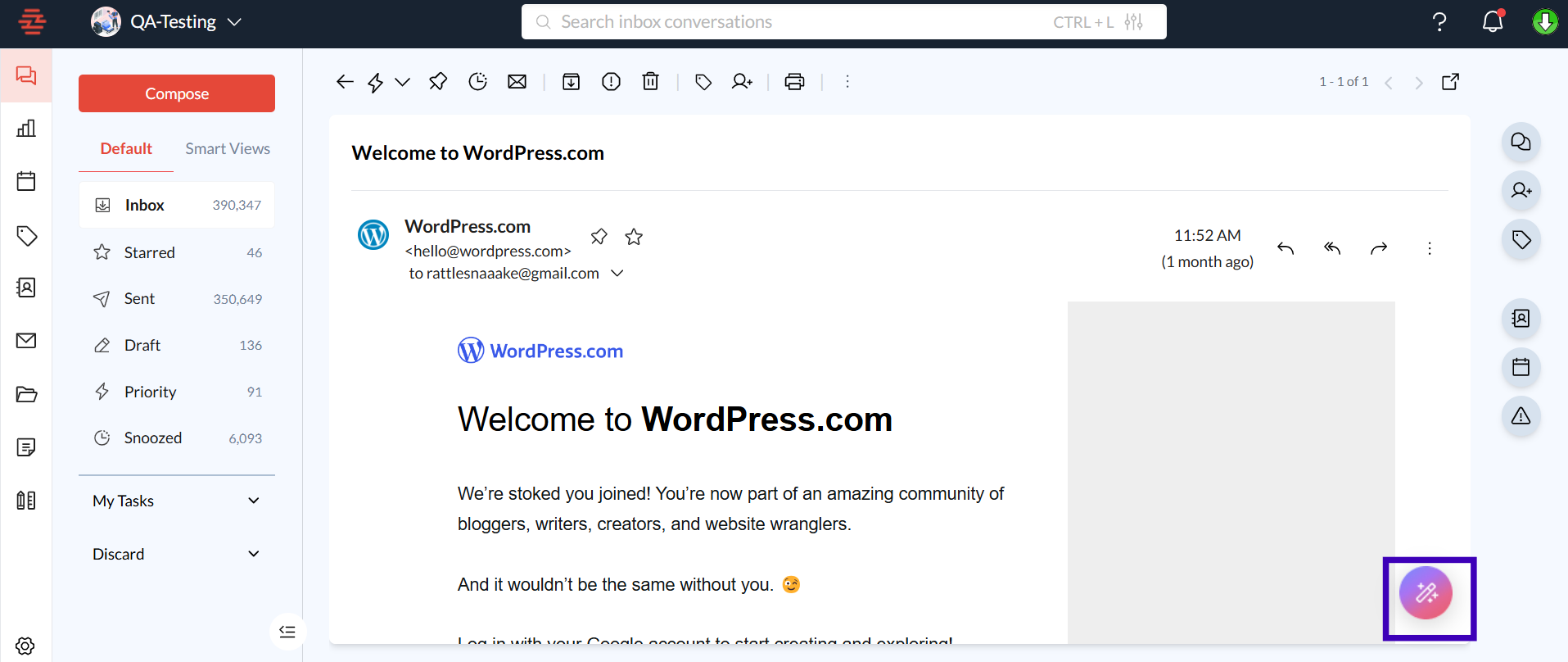
Step 1: Access the Conversation Summary
Open Zeninbox and navigate to the email thread for which you want to view the summary.
Click on the thread to open the conversation.
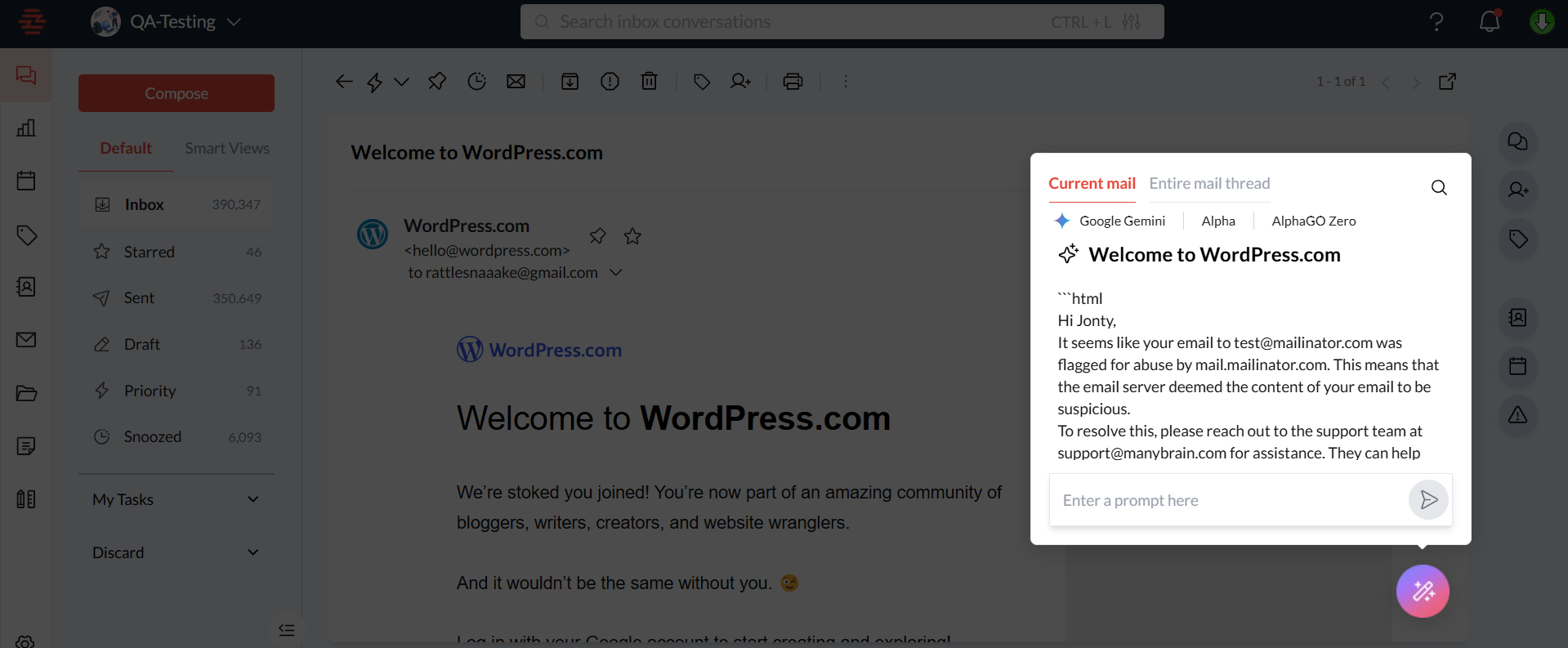
The Conversation Summary panel will appear on the side panel, providing a brief overview.
Step 2: Review Key Points
Read through the summary to understand the main takeaways, including any decisions, questions, or follow-up items highlighted by the AI.
Use the summary to quickly determine if further reading of the entire thread is necessary.
Conclusion
The Conversation Summary feature in Zeninbox offers a powerful way to stay on top of your emails without getting overwhelmed by long threads. It highlights what matters most, making your email management more efficient. For more tips on using Zeninbox's features, visit our Help Center or contact our support team for further assistance.