How to Delete a Draft in Zeninbox
Learn how to quickly delete an email draft in Zeninbox to keep your drafts folder organized and clutter-free.
Written By lucidgrowth
Last updated Over 1 year ago
Introduction
Draft emails in Zeninbox are a convenient way to compose and save messages for later. However, you might sometimes decide that a draft is no longer needed. This guide will show you how to delete a draft in Zeninbox, ensuring you keep your workspace organized and free of unnecessary emails.
Step-by-Step Guide
Follow these simple steps to delete a draft in Zeninbox:
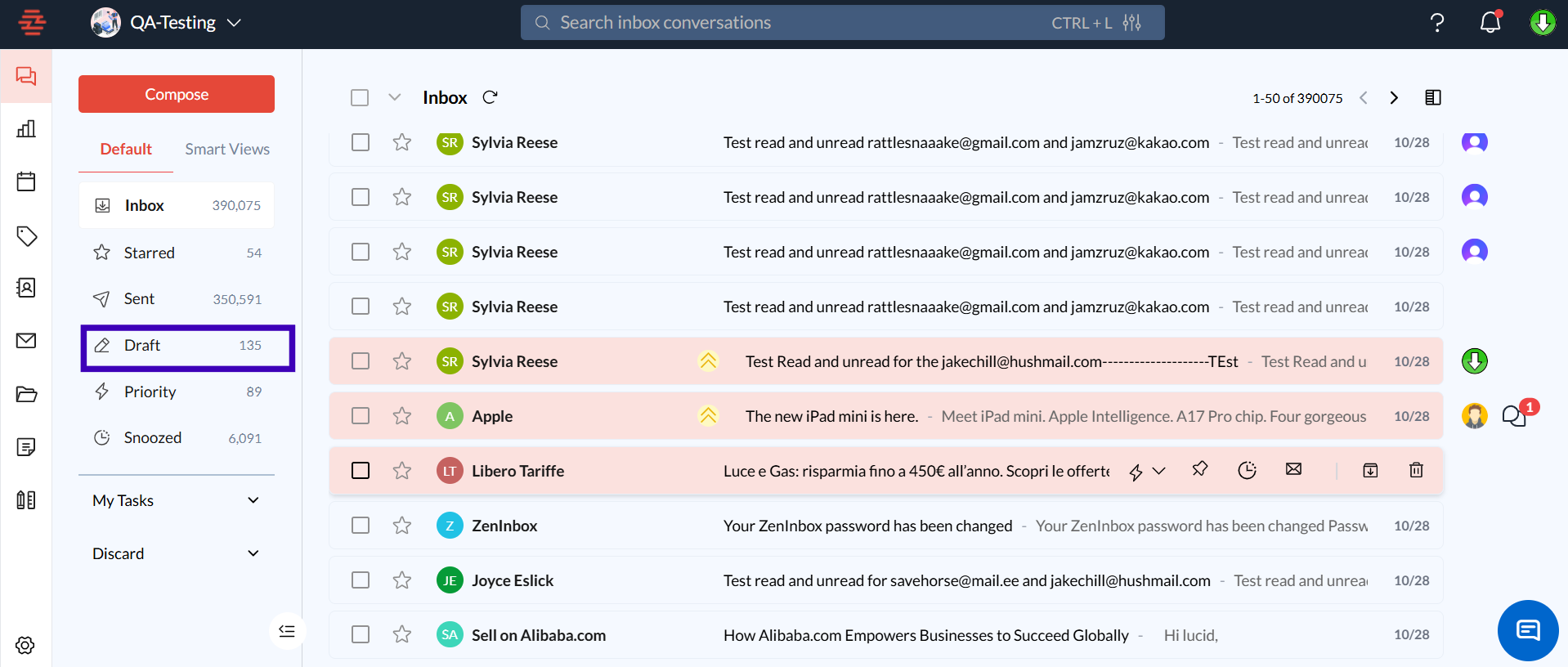
Step 1: Navigate to the Drafts Folder
Open Zeninbox and log into your account.
In the left sidebar, locate and click on the Drafts folder.
Step 2: Select the Draft to Delete
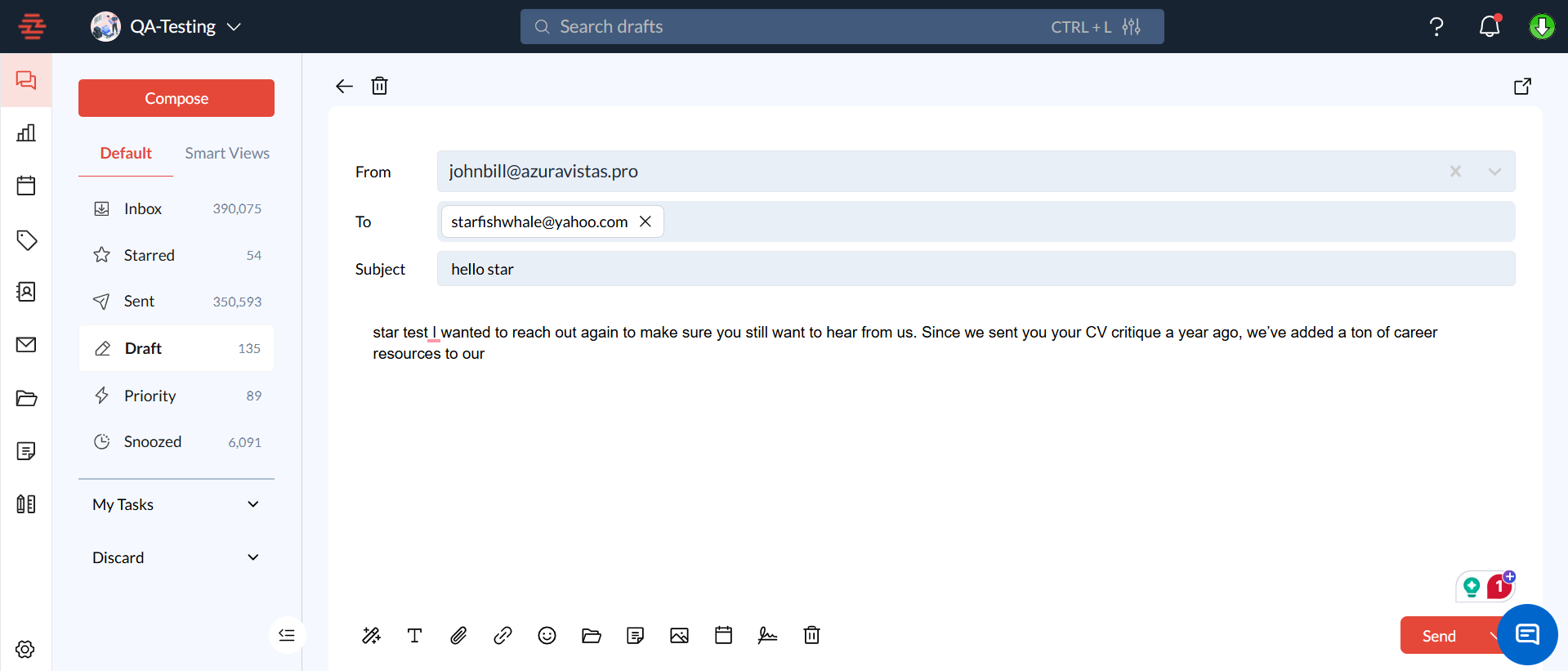
Find the draft you wish to delete from the list.
Click on the draft to open it.
Step 3: Delete the Draft
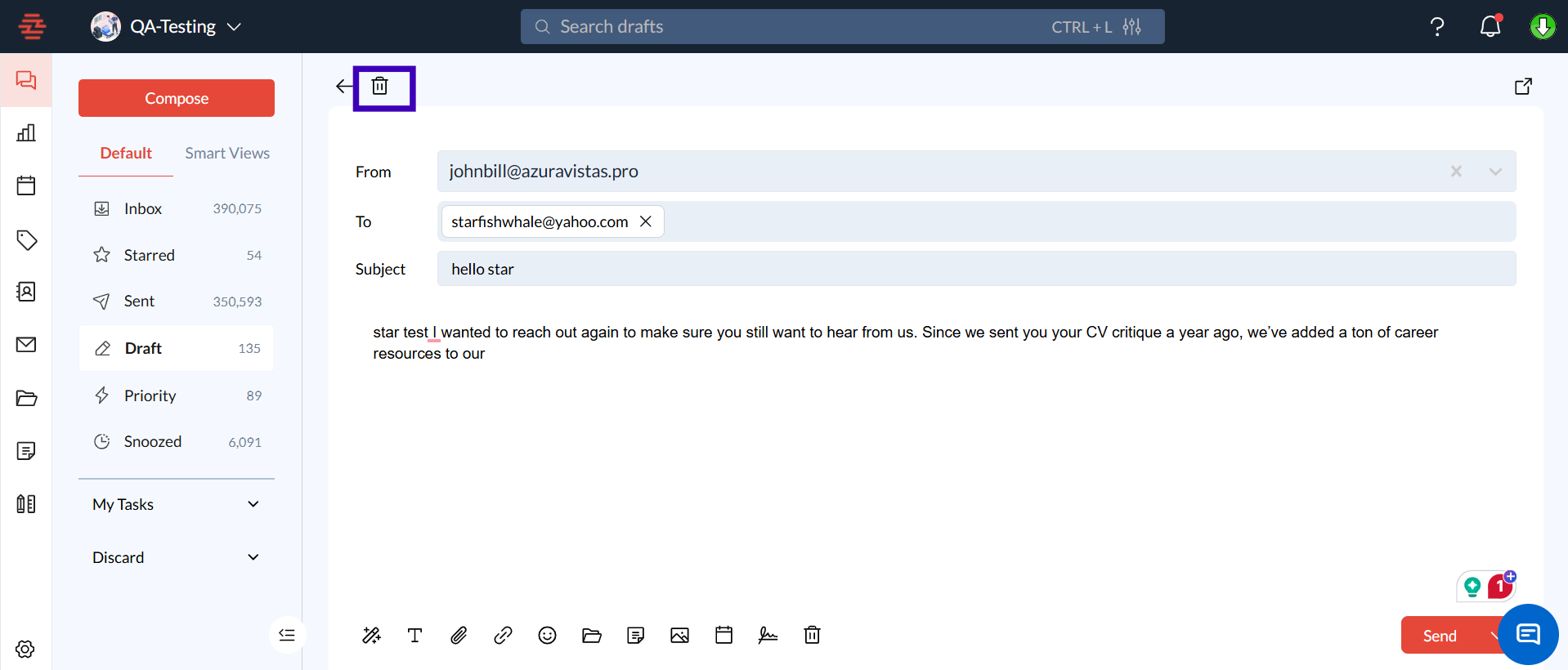
Inside the draft, click the Trash icon located at the top of the message window.
Confirm your action when prompted with the message, “Are you sure you want to delete this draft?”
Conclusion
Deleting drafts in Zeninbox is a straightforward process that helps you maintain a clutter-free inbox. If you have any other questions about managing your drafts contact our support team for further assistance.