Understanding Message Timestamps in Zeninbox
Learn how Zeninbox displays message timestamps to help you track when emails were sent, received, or updated, ensuring you stay informed.
Written By lucidgrowth
Last updated Over 1 year ago
Introduction
Message timestamps in Zeninbox provide valuable information about when emails and messages were sent, received, or read. These timestamps help users keep track of communication timelines, ensuring that you have a clear understanding of when important interactions took place. This feature is essential for managing follow-ups, scheduling responses, and maintaining accurate records of conversations.
Key Features of Message Timestamps
Sent Timestamp: Displays the exact date and time when an email was sent, helping you verify when a message left your outbox.
Received Timestamp: Shows when an email arrived in your inbox, allowing you to understand the delivery time.
Read Timestamp: Indicates when a recipient has opened and read your email, providing insight into their engagement.
Time Zone Adjustments: Timestamps are adjusted based on your time zone settings, ensuring accuracy according to your location.
Step-by-Step Guide to Viewing Message Timestamps
Viewing Timestamps in a Conversation
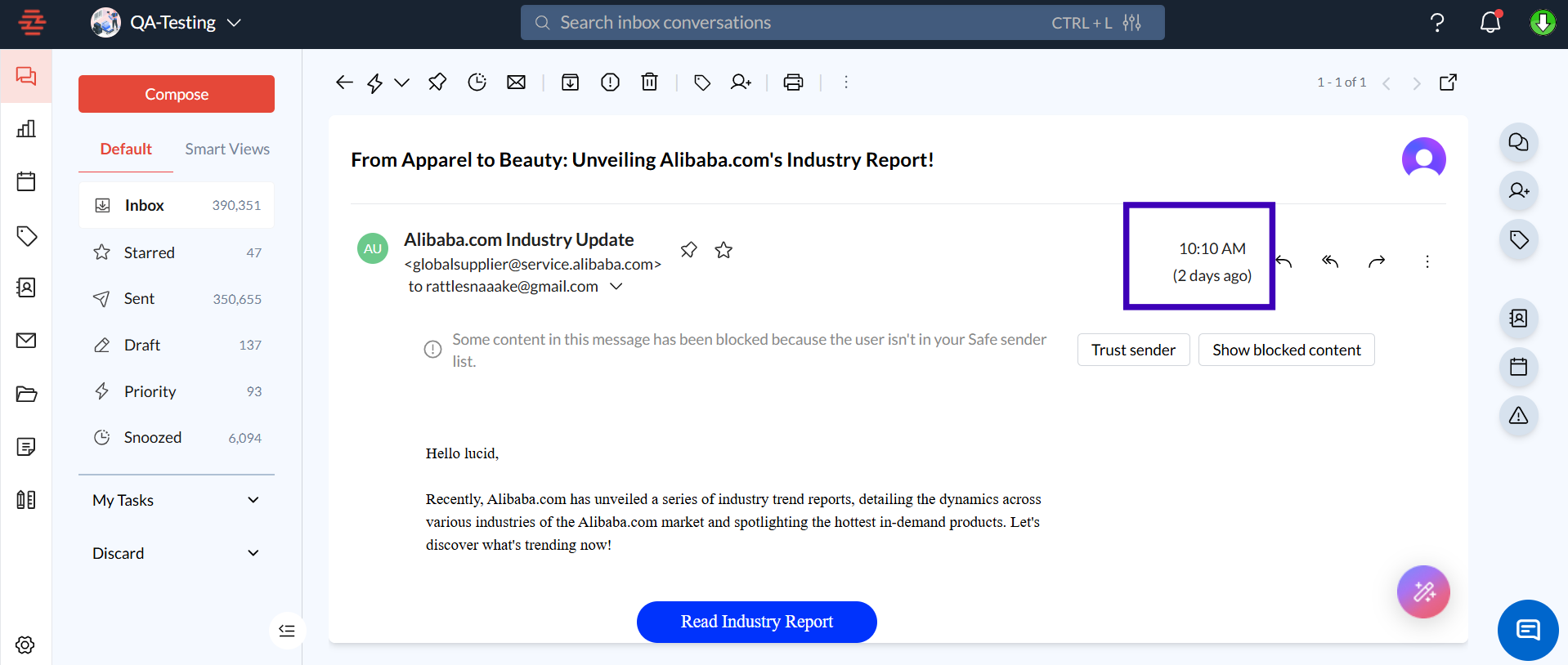
Open the Email Thread: Navigate to the inbox and click on the conversation you want to view.
Check the Sent and Received Times: The sent timestamp is displayed next to the sender’s information, while the received timestamp is visible above the message body.
Adjusting Time Zone Settings
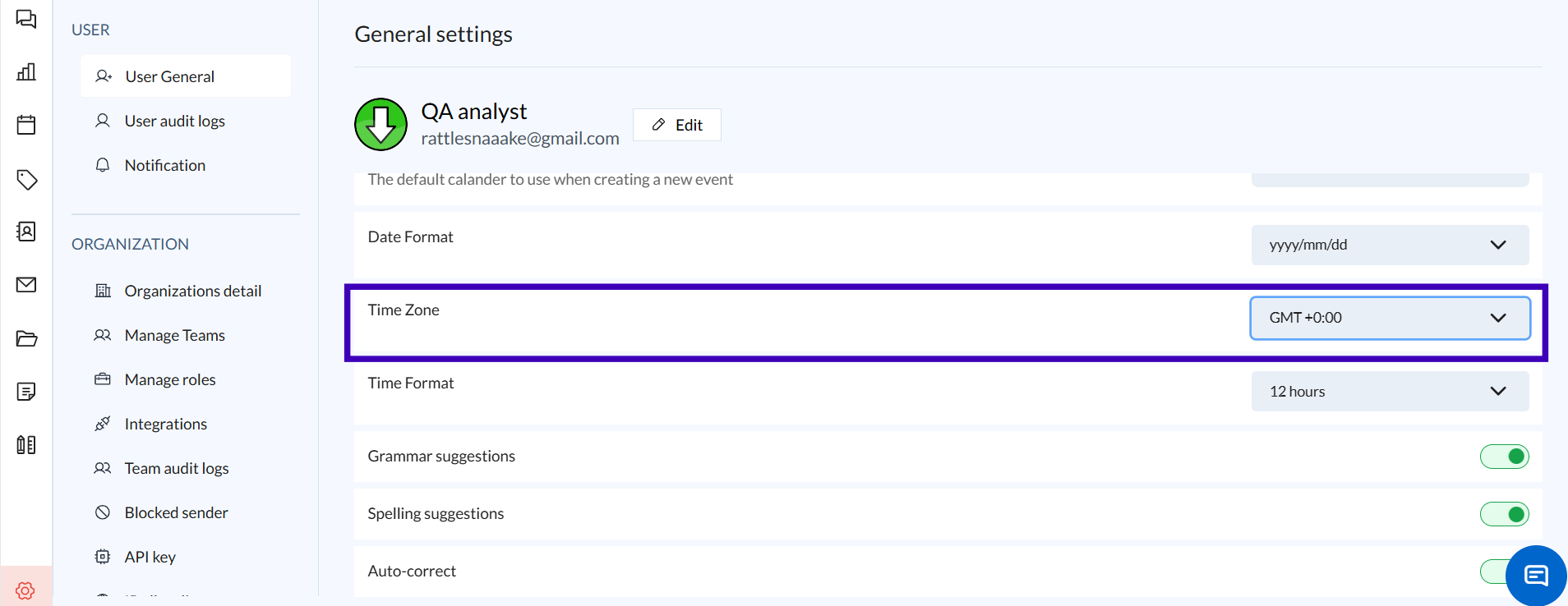
Go to Settings: Click on your profile picture and select “Settings” from the drop-down menu.
Navigate to Time Zone Settings: Under the “General” tab, find the “Time Zone” option.
Select Your Time Zone: Choose your preferred time zone from the drop-down list, and click “Save” to update your settings.
Tip: This ensures that all message timestamps reflect your local time.
Common Issues
Why can't I see the read timestamp for my email?
Ensure that read receipts are enabled in your settings and that the recipient’s email client supports read receipt tracking.
How do I change the format of the timestamp display?
Zeninbox automatically adjusts the timestamp format based on your time zone settings. However, date formats may vary depending on your location settings.
Conclusion
Message timestamps are a crucial feature for maintaining clarity and transparency in your communication. By providing precise information on when emails are sent, received, and read, timestamps help you manage follow-ups, keep accurate records, and coordinate with your team. Feel free to explore our Help Center or reach out to our support team.