How to Archive a Conversation in Zeninbox
Learn the simple steps to archive conversations in Zeninbox, helping you declutter your inbox while keeping important messages accessible for future reference.
Written By lucidgrowth
Last updated Over 1 year ago
Introduction
Archiving conversations in Zeninbox helps keep your inbox organized by removing messages from the main view without deleting them. This feature is especially useful for clearing up space in your inbox while retaining access to important conversations when needed. Learn how to archive conversations quickly and effectively to maintain a tidy workspace.
Benefits of Archiving a Conversation
Declutter Your Inbox: Move inactive or completed conversations out of the main view, keeping your inbox focused on active tasks.
Access Archived Emails Anytime: Archived conversations remain easily accessible in the “Archived” section, so you can retrieve them whenever necessary.
Maintain Conversation History: Preserve important information without the need for deletion, ensuring that no valuable data is lost.
Step-by-Step Guide to Archive a Conversation
Follow these simple steps to archive a conversation in Zeninbox:
Step 1: Open the Conversation
Navigate to your inbox and locate the conversation you wish to archive.
Click on the conversation to open it.
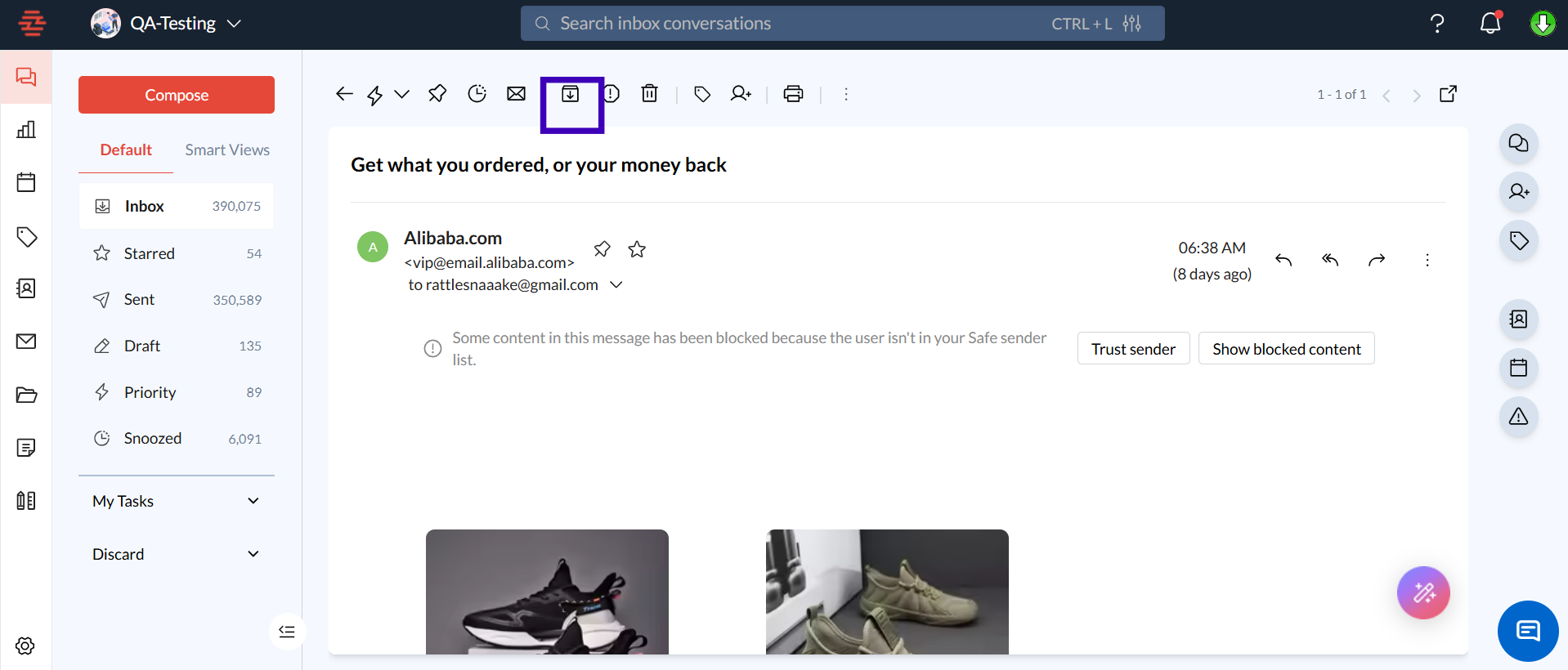
Step 2: Click the “Archive” Button
Once the conversation is open, look for the Archive button at the top of the email thread.
Step 3: Access Archived Conversations
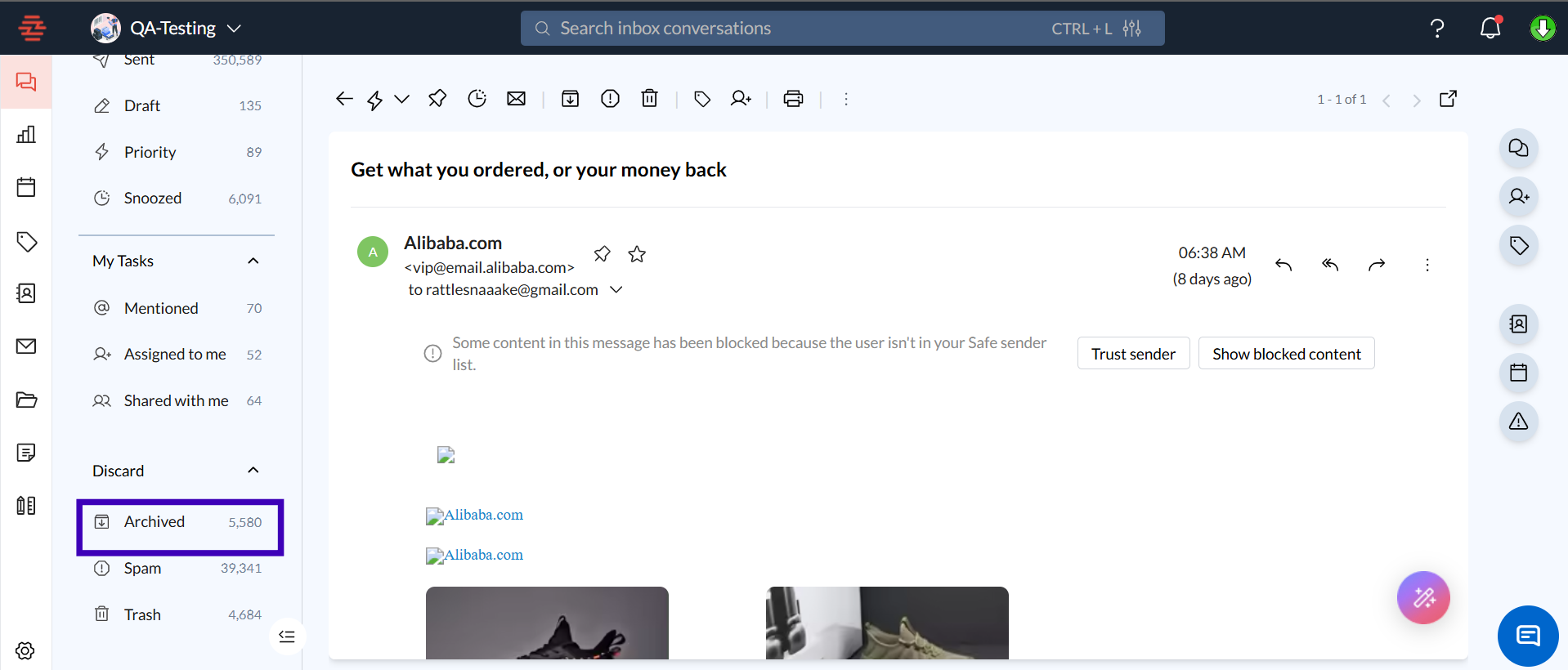
To view archived conversations, navigate to the Archived section in the sidebar.
Click on any conversation to open it or move it back to the inbox if needed.
Common Questions/Issues
Q1: Can I unarchive a conversation?
A: Yes! Simply go to the Archived section, open the conversation, and click the Unarchive button to return it to your inbox.
Q2: Will archiving delete my conversation?
A: No, archiving does not delete your conversation. It simply moves it out of the inbox view to keep things organized. You can access archived conversations anytime.
Q3: How do I find a conversation that I’ve archived?
A: Use the search bar at the top of your Zeninbox interface and enter keywords from the archived conversation. Results from both your inbox and archived conversations will appear.
Conclusion
Archiving conversations in Zeninbox is an effective way to keep your workspace organized without losing access to important messages. By following these steps, you can maintain a clutter-free inbox and focus on what matters most. Happy organizing!