How to use Zeninbox free trial
Written By lucidgrowth
Last updated Over 1 year ago
Introduction
The Free Trial of Zeninbox allows new users to explore and experience all the powerful features Zeninbox has to offer before committing to a paid plan. This trial period helps users understand how Zeninbox can enhance their email management, collaboration, and automation capabilities. This article explains the purpose and benefits of the free trial and provides step-by-step instructions on how to start and make the most of your trial.
Purpose and Benefits
Why Use the Free Trial of Zeninbox?
Explore Features at No Cost: Get access to Zeninbox's premium features without any upfront payment.
Test Functionality: Experience advanced email automation, AI tools, and team collaboration features to see how they fit your needs.
Make Informed Decisions: Use the trial period to decide if Zeninbox is the right solution for you or your organization.
Prerequisites
Before starting your free trial, ensure the following:
Valid Email Address: You will need a valid email address to create an account and start the trial.
No Previous Subscription: The free trial is available only to new users who have not previously subscribed to a paid plan.
Step-by-Step Instructions for Starting the Free Trial
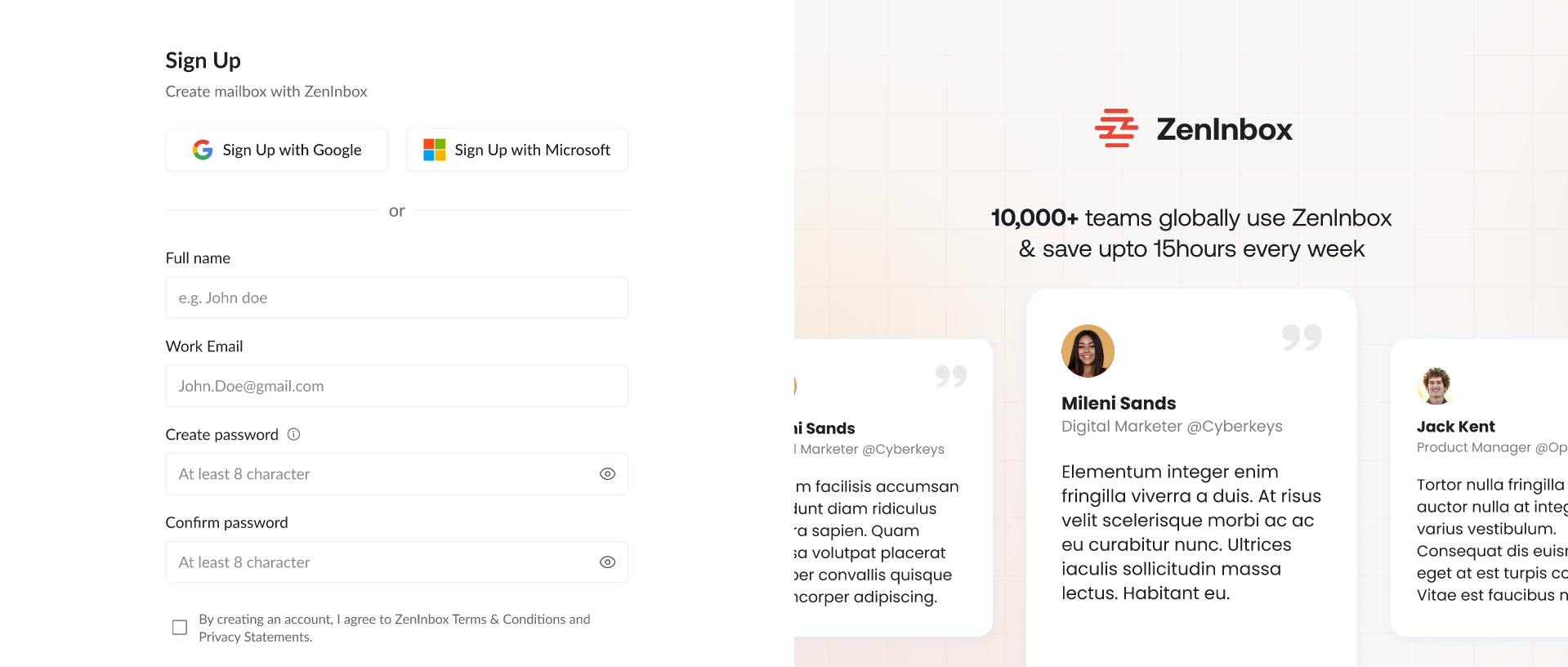
Step 1: Sign Up for Zeninbox
Visit the Zeninbox website and click on the "Start Free Trial" button on the homepage.
Enter your email address and other required information in the sign-up form.
Click "Sign Up" to create your Zeninbox account.
Step 2: Confirm Your Email
Check your email inbox for a confirmation email from Zeninbox.
Click on the confirmation link in the email to verify your account.
After verification, you will be redirected to the Zeninbox dashboard.
Step 3: Explore Zeninbox Features
Once you are logged in, explore the various features like:
Email Automation: Set up workflows to automate routine tasks.
AI Compose: Use AI tools to draft emails and summarize conversations.
Team Collaboration: Manage team email assignments and internal chats.
Click on the guided tour if you want a walkthrough of the key features and functionalities available during the trial.
Common Issues and Troubleshooting
Issue: "I didn't receive the confirmation email."
Solution: Check your spam or junk folder. If you still don't see the email, try resending it from the sign-up page.
Issue: "I'm not sure which features are included in the trial."
Solution: During the trial, you will have access to all the features. Visit the Features Overview section in your account for details.
Conclusion
The Zeninbox free trial is a great opportunity to experience all the features of the platform without any financial commitment. Use the trial period to explore how Zeninbox can enhance your email productivity and streamline your workflow.