Recovering a Forgotten Zeninbox Password
Written By lucidgrowth
Last updated Over 1 year ago
Introduction
If you've forgotten your Zeninbox password, don't worry—you're not alone. Many users occasionally lose access to their accounts due to a forgotten password, and this article will guide you through the simple steps to recover it. This article outlines a clear, step-by-step process to reset your password and regain access to your account quickly.
Prerequisites
Before starting the password recovery process, please ensure the following:
Access to Your Registered Email: You'll need access to the email address you used to register with Zeninbox to receive the password reset link.
Step-by-Step Solution
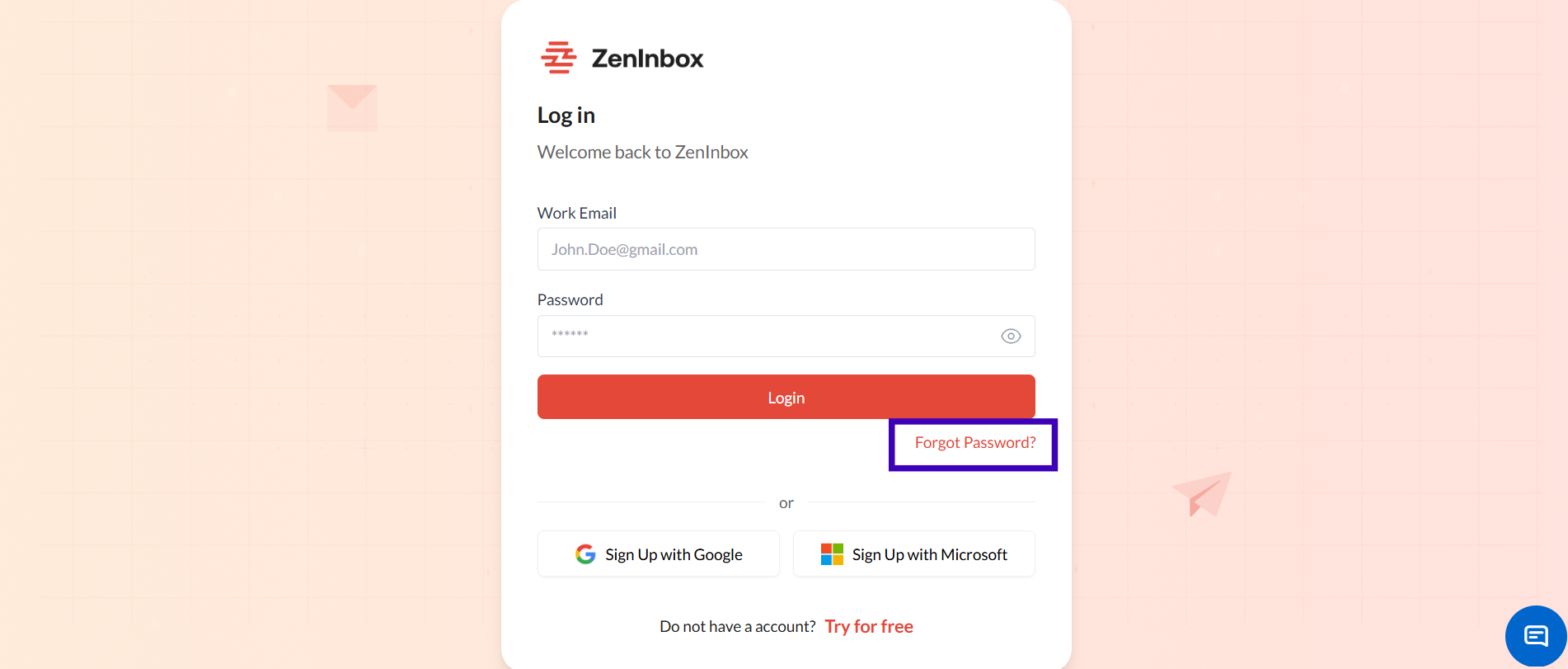
Step 1: Go to the Zeninbox Login Page
Visit Zeninbox Login Page in your web browser.
Click on Forgot Password? Located below the password field.
Step 2: Enter Your Registered Email Address
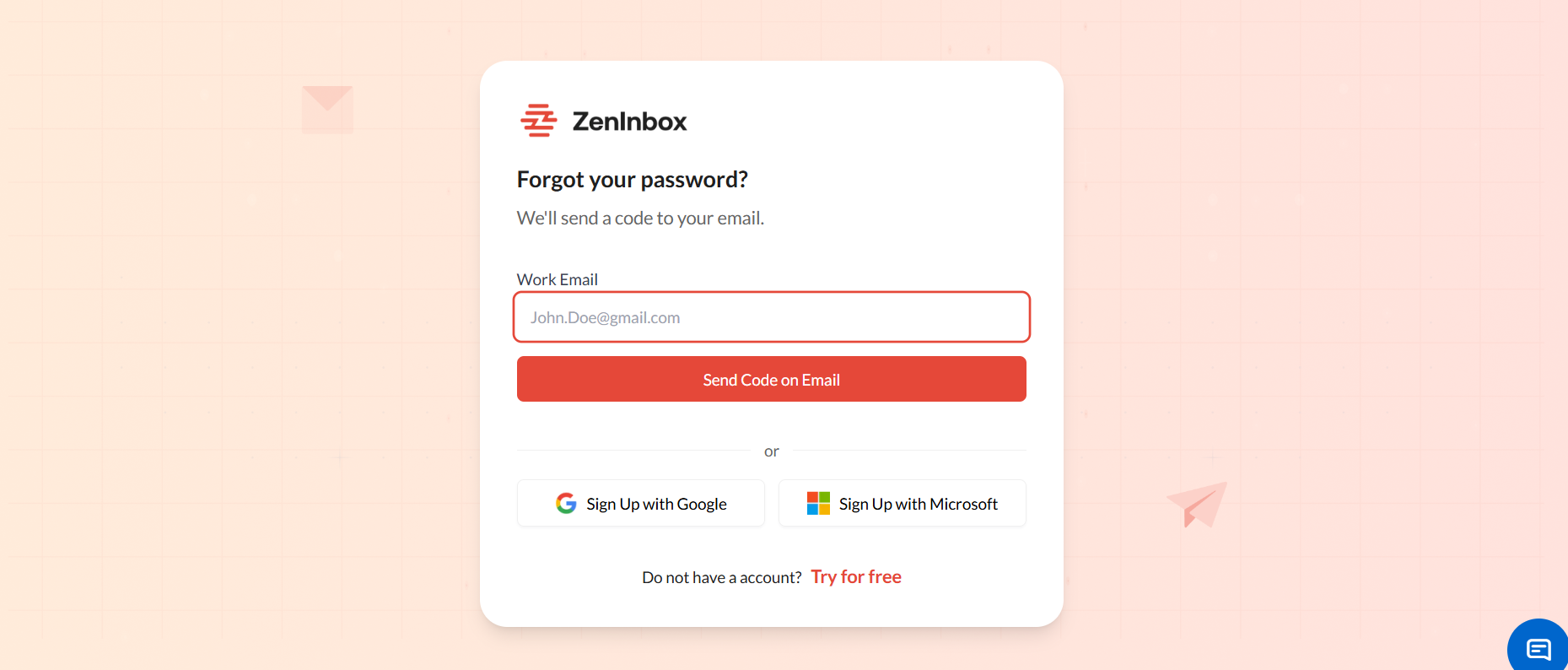
In the Forgot Password form, enter the email address associated with your Zeninbox account.
Click on the Send Code on Email button.
Step 3: Check Your Email for the Reset Link
Open your email inbox and look for an email from Zeninbox with the “OTP” to reset the Password.
If you don't see the email, check your Spam or Junk folder.
Note: It may take a few minutes for the email to arrive.
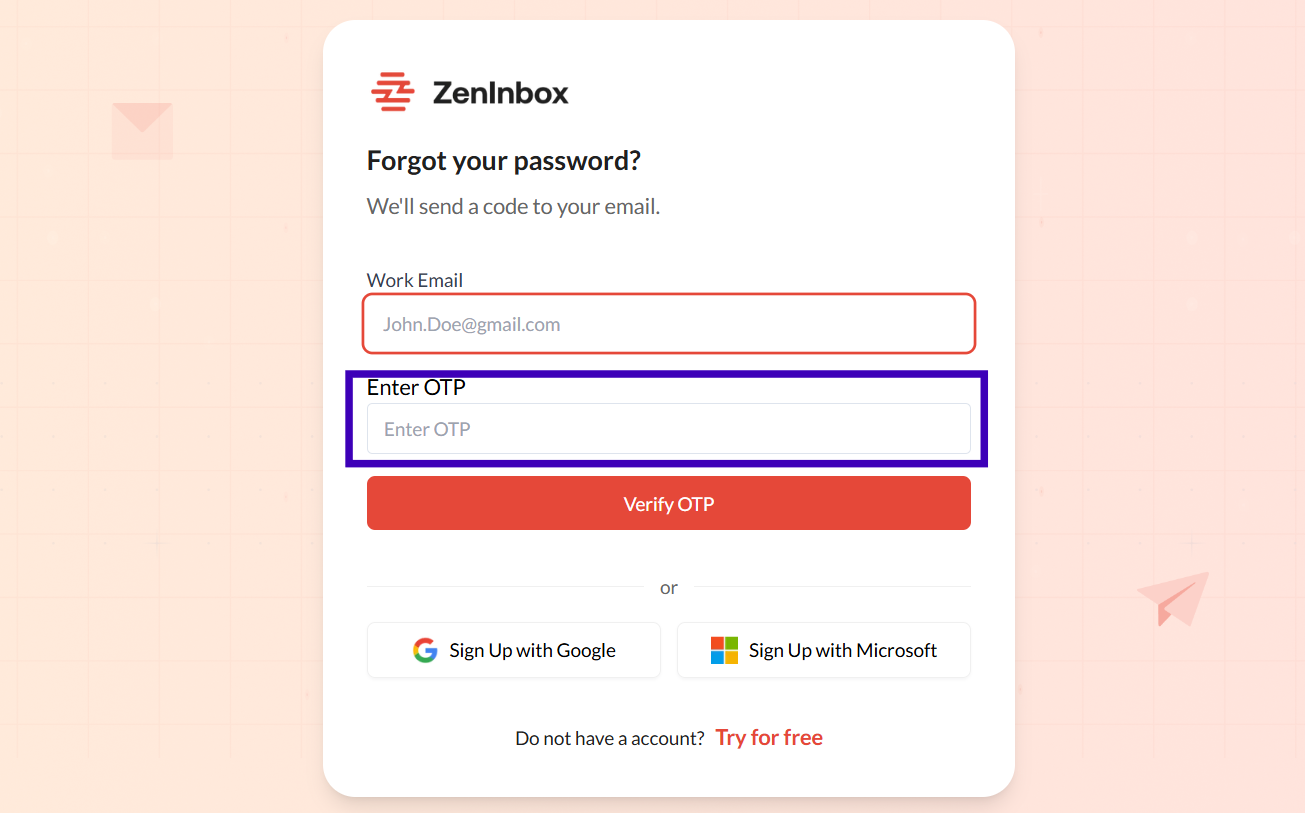
Step 4: Enter the OTP
Enter the OTP to reset the Password.
Step 5: Create a New Password
You’ll be redirected to the Zeninbox password reset page.
Enter a New Password and Confirm Password.
Click Reset Password to save your changes.
Step 6: Log in with Your New Password
Return to the Zeninbox login page and enter your email and new password.
Click Log In to access your account.
Additional Tips and Best Practices
Use a Strong Password: Choose a password that combines uppercase and lowercase letters, numbers, and special characters for better security.
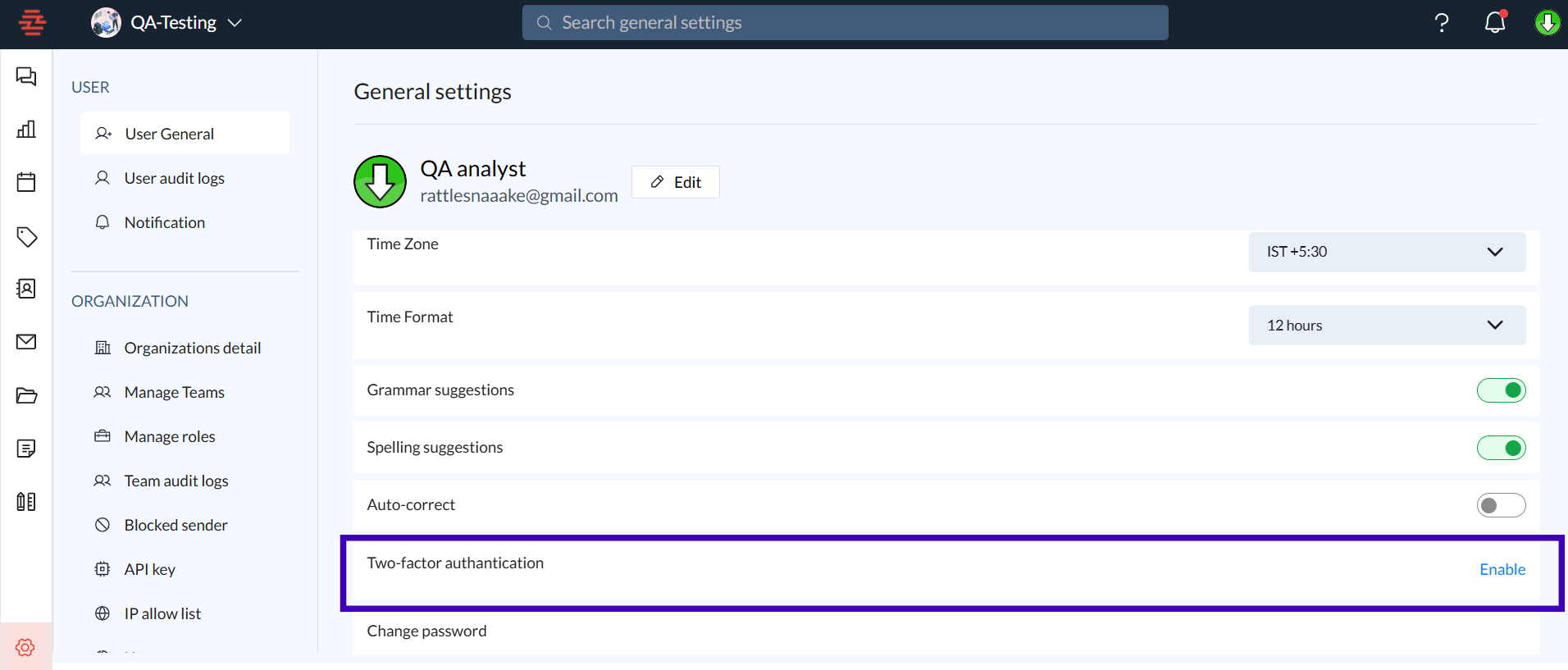
Enable Two-Factor Authentication (2FA): For added account security, enable 2FA from the Zeninbox account settings. This helps protect your account even if your password is compromised.
Avoid Using Common Passwords: Avoid using easily guessable passwords like "password123" or your name.
Common Issues and Troubleshooting
I didn’t receive the password reset email. What should I do?
Check your Spam or Junk folder.
Ensure that you entered the correct email address.
Wait a few minutes and then request a new reset link.
I no longer have access to my registered email.
If you can't access the email address linked to your Zeninbox account, reach out to Zeninbox Support for further assistance.
Conclusion and Next Steps
Recovering your Zeninbox password is a simple process that takes just a few minutes. Follow the steps outlined above to reset your password and regain access to your account. For further assistance, check out our related articles or contact Zeninbox Support.
If you need any more help, our support team is here to assist you! Reach out through the Help section on the Zeninbox website.