User Audit Logs and team audit logs
Track individual user activities with User Audit Logs and monitor team-wide actions with Team Audit Logs in Zeninbox for better accountability and security.
Written By lucidgrowth
Last updated Over 1 year ago
Introduction
The User Audit Logs feature in Zeninbox provides detailed tracking of actions taken by individual users within the platform. This feature allows administrators to monitor activities such as login attempts, email actions, settings changes, and more, helping to maintain accountability and security within the organization.
Step-by-Step Instructions
To access and use the User Audit Logs feature in Zeninbox, follow these steps:
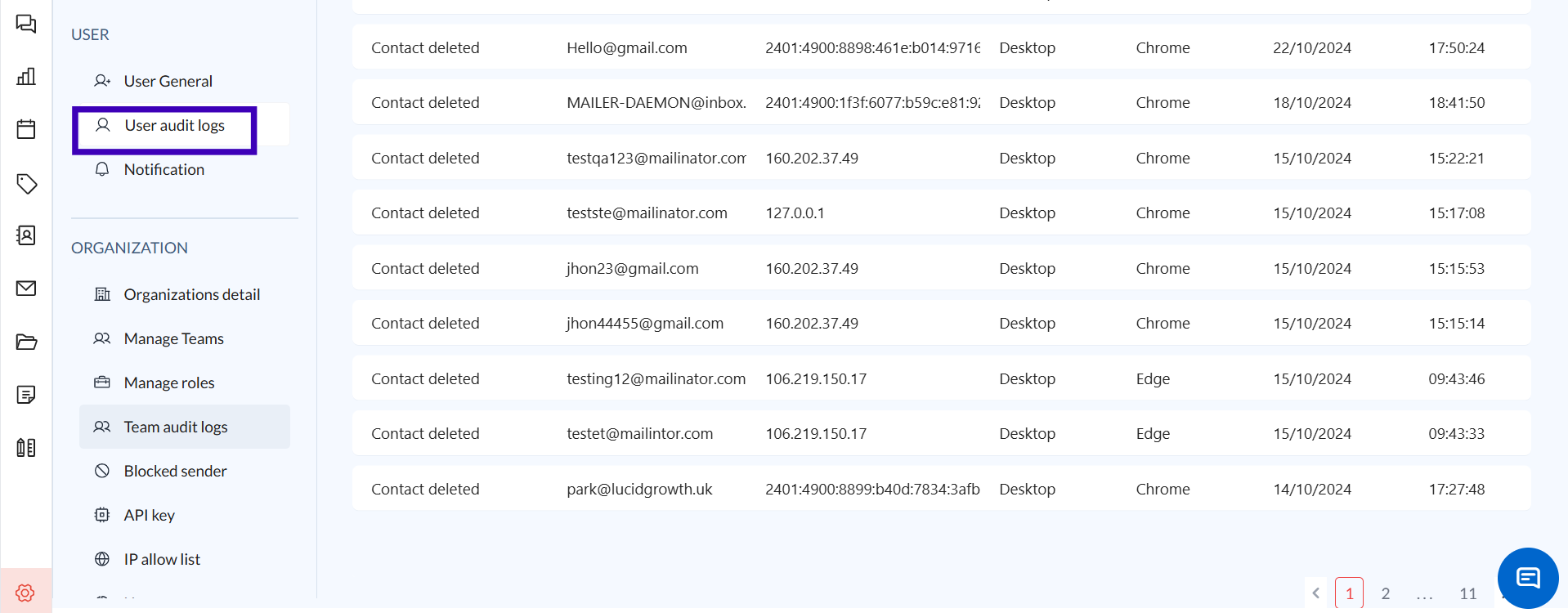
1. Navigate to the User Audit Logs Section
Log in to your Zeninbox account and click on the Settings tab.
Click on the User Audit Logs option to access the logs.
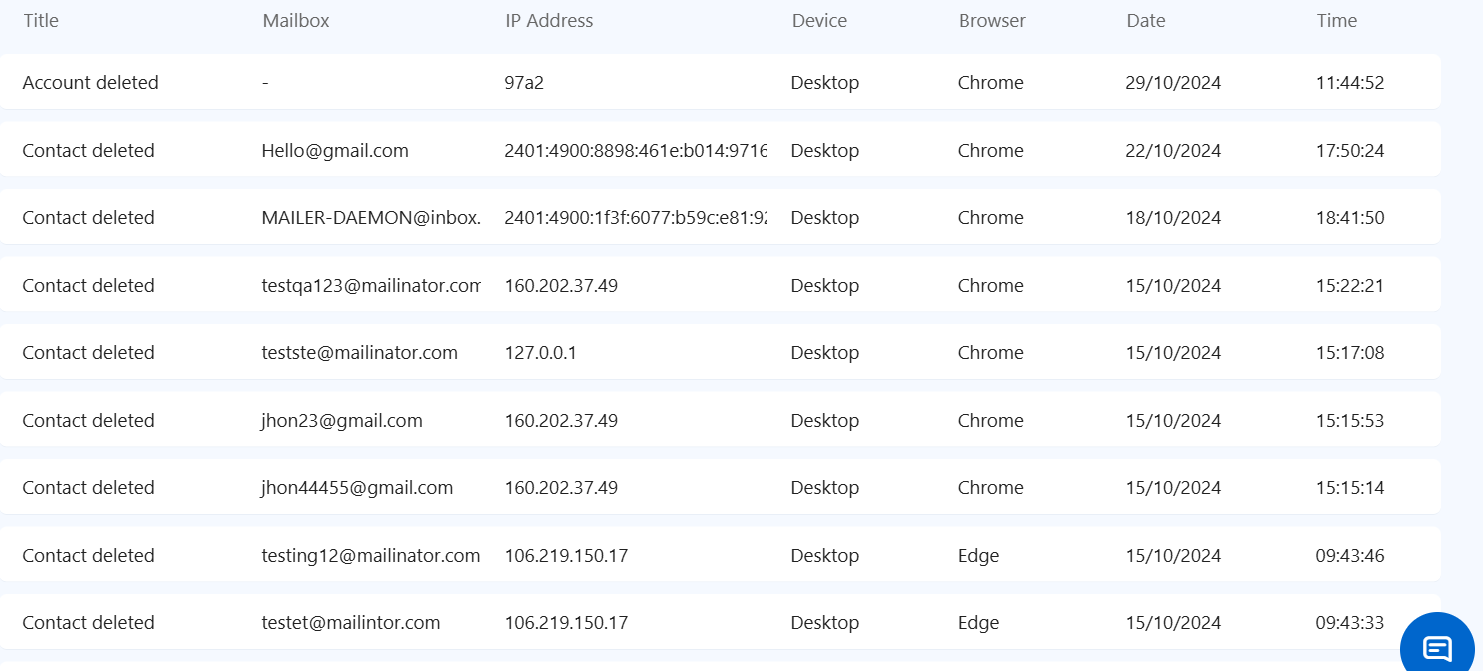
2. Review Log Details
Each entry in the audit log includes important information such as Date and Time, User Name, Action Performed, IP Address, and Browser used.
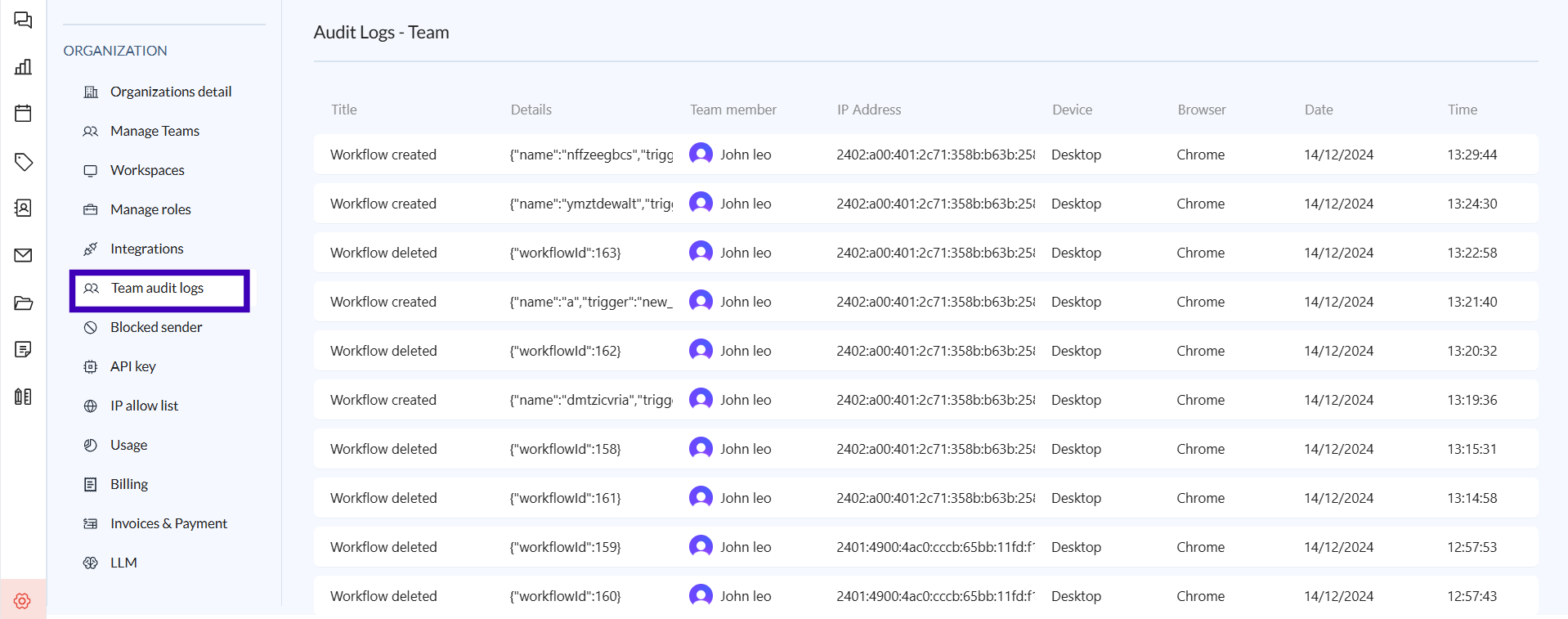
To access and use the Team Audit Logs feature in Zeninbox, follow these steps:
1. Navigate to the User Audit Logs Section
Log in to your Zeninbox account and click on the Settings tab.
Click on the Team Audit Logs option to access the logs.
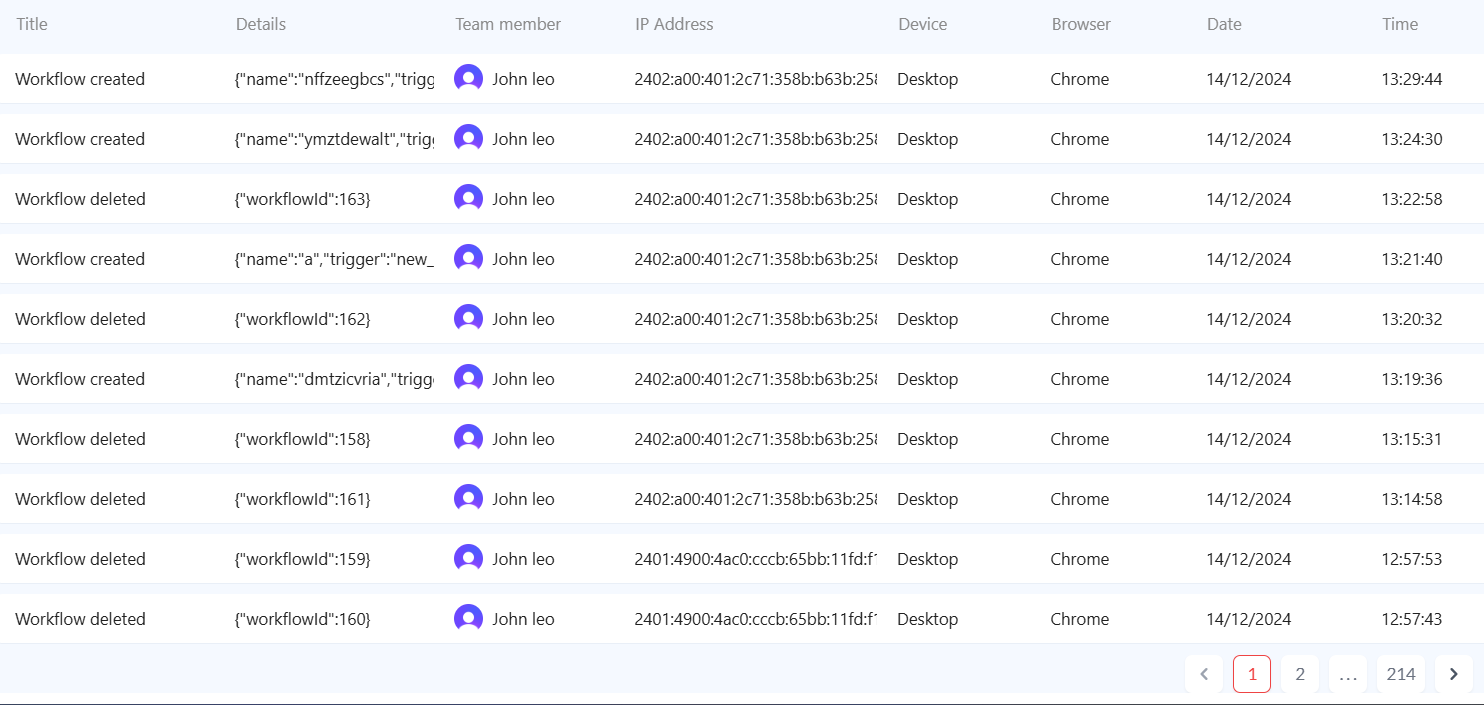
2. Review Log Details
Each entry in the audit log includes important information such as Date and Time, User Name, Action Performed, IP Address, and Browser used.
Conclusion and Next Steps
The User Audit Logs feature in Zeninbox is a powerful tool for monitoring user activities, ensuring security, and maintaining compliance. By using this feature, you can gain deeper insights into how users interact with Zeninbox and quickly address any security concerns.
If you need additional help, please contact our support team at support@zeninbox.ai.