Phone Support in Zeninbox
Zeninbox doesn’t offer phone support. Use our help center, chat, or email for assistance.
Written By lucidgrowth
Last updated Over 1 year ago
Introduction
At Zeninbox, we understand that customers sometimes prefer phone support for quick and direct communication. However, we do not currently offer phone support. This article explains why we've chosen this approach and how it allows us to provide better, more efficient support through other channels.
Why Zeninbox Doesn't Offer Phone Support
We’ve opted not to provide phone support for several key reasons:
Focus on Quality and Detailed Support: Our goal is to offer thorough and accurate responses. With written support, such as emails or chats, our team can take the time to provide detailed, step-by-step solutions. This ensures that you receive the correct and most effective solution to your issue.
Efficient Issue Tracking: Written support enables us to maintain a clear record of your issues and our solutions, making it easier to track and resolve ongoing or complex cases. This transparency helps ensure continuity, so you don't have to repeat yourself if your case requires follow-up.
Focus on Faster Response Times: Without the logistical constraints of phone support, we can focus on reducing response times and addressing your queries quickly through our existing support channels.
Step-by-Step Instructions for Getting Support
To ensure you get the help you need, we've made it easy to reach out through various channels:
Step 1: Contact Us via Chat
Log in to your Zeninbox account.
Click the Help icon in the bottom right corner of the dashboard to access our live chat.
Type your question or describe your issue, and one of our support team members will assist you.
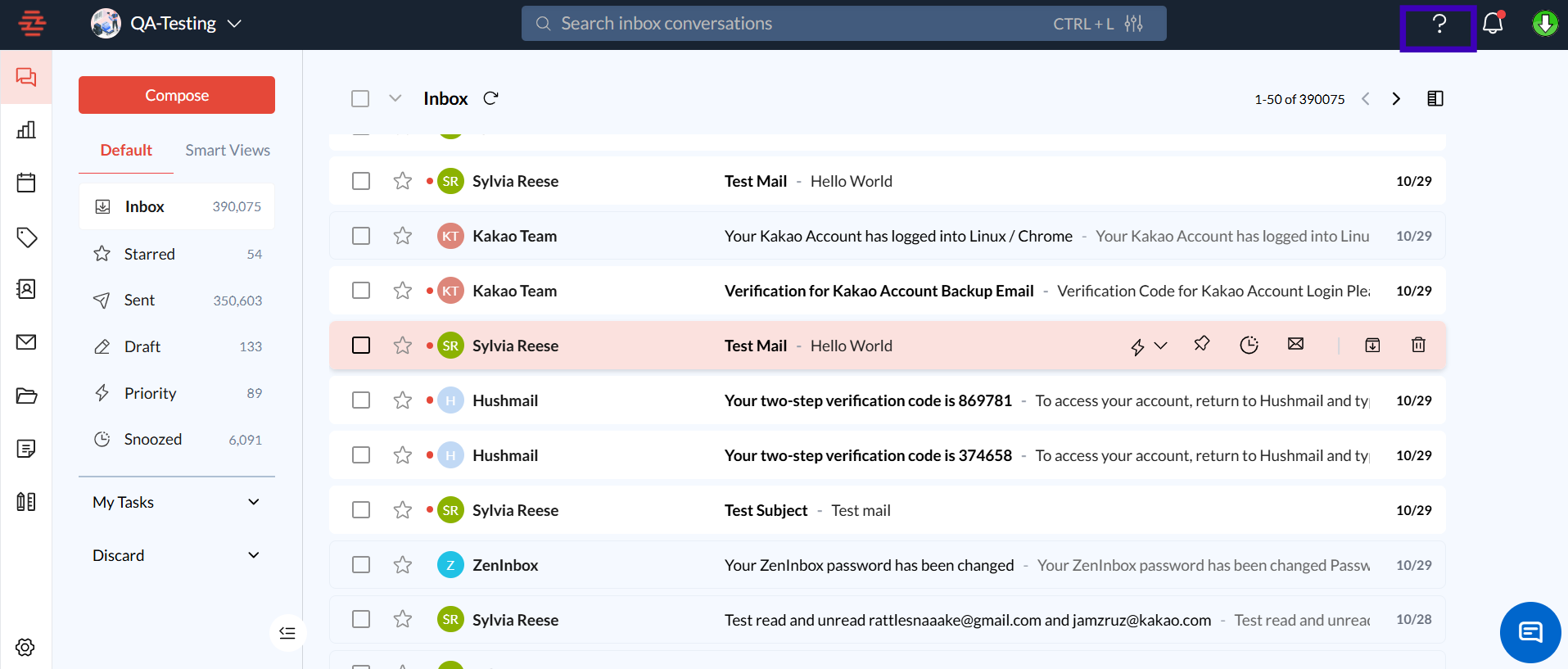
Step 2: Send an Email to Support
Go to the Help Center by clicking the "Help" link in the Zeninbox menu.
Submit a support request by filling out the form with details about your issue.
Attach screenshots or files if necessary to help us better understand your problem.
Click "Submit" to send your request to our support team.
Step 3: Browse the Help Center for Self-Help
Visit our Help Center.
Use the search bar to find articles related to your issue.
Browse popular topics and frequently asked questions to find solutions.
Common Issues and Troubleshooting
Issue: "I need help with a time-sensitive issue, but there's no phone support."
Solution: Use the live chat feature for urgent inquiries. Our team is trained to respond as quickly as possible.
Conclusion and Next Steps
While we don't offer phone support, our commitment to providing high-quality assistance remains strong. Our email and chat channels are designed to ensure you get the help you need, when you need it. We encourage you to reach out through these channels or explore our Help Center for solutions to common issues.
If you have further questions or need additional support, please contact our support team via email or chat.