Understanding Your Invoice
Written By lucidgrowth
Last updated Over 1 year ago
Introduction
The Understanding Your Invoice article is designed to help Zeninbox users navigate their invoices, understand key billing details and manage payments efficiently. Knowing how to access, review, and download invoices ensures transparency and control over your billing information. This guide explains how to view your invoice, the key details included, and how to resolve common billing queries.
Prerequisites
Ensure you have Administrator or Billing Manager access to view and manage invoices.
You must have an active Zeninbox account and access to the Invoices & Payment section.
Make sure your payment method is updated to avoid delays in billing.
Step-by-Step Instructions
Accessing Your Invoices
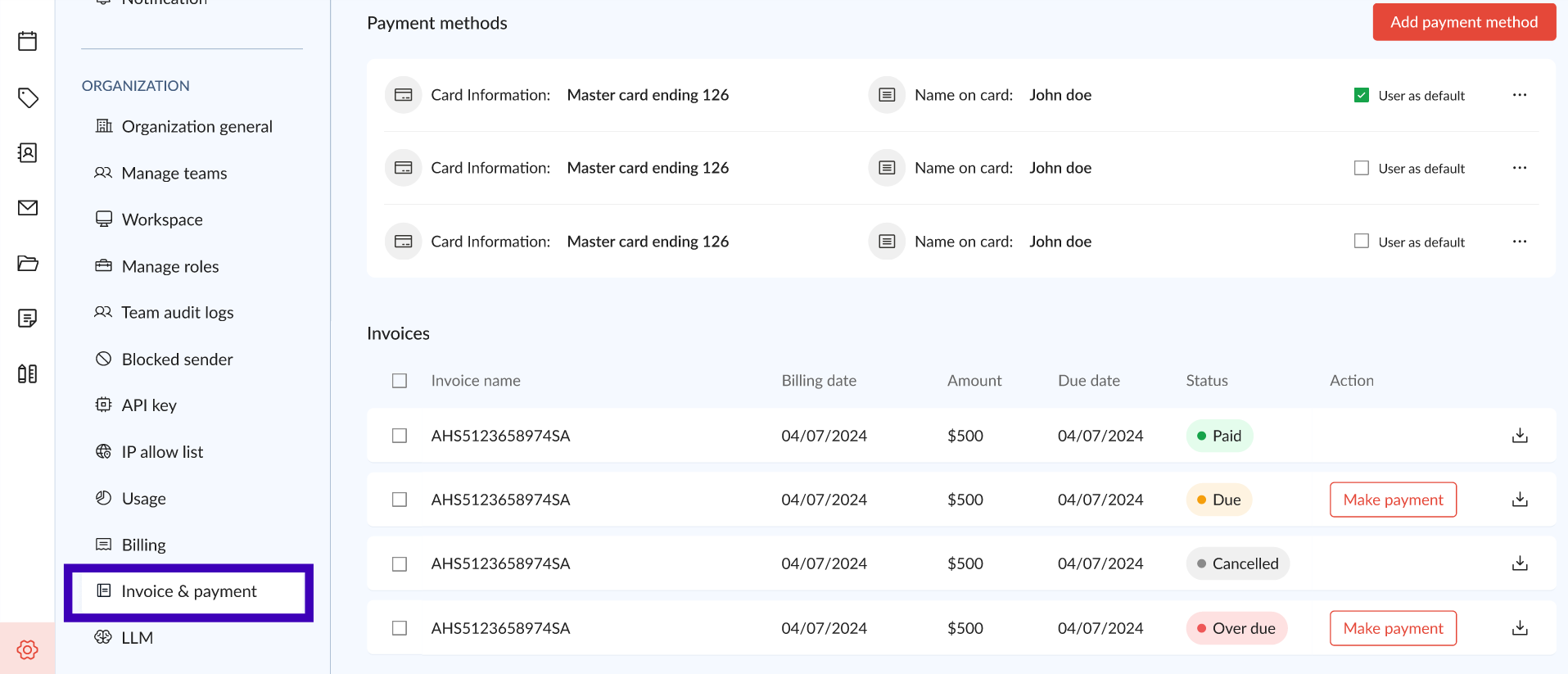
Navigate to Invoices & Payment:
Log into your Zeninbox account.
From the left sidebar, click on Invoices & Payment under the Organization section.
View Invoices:
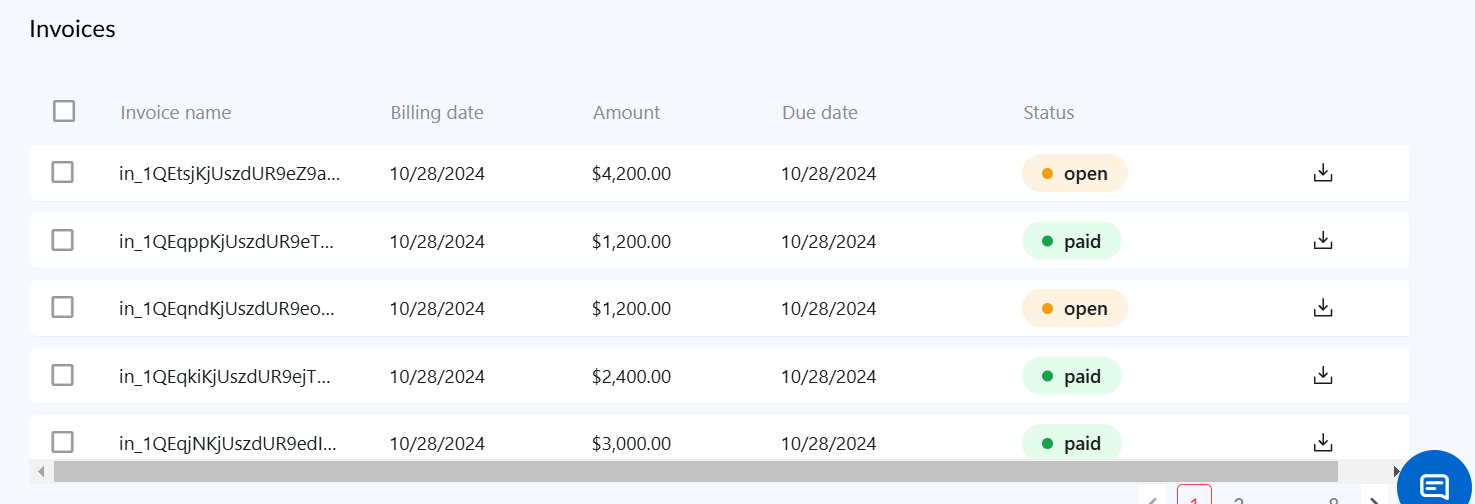
You will see a list of invoices with details such as Invoice name, Billing date, Amount, Due date, and Status.
The Status indicates whether the invoice is paid, open, or overdue.
Download Invoices:
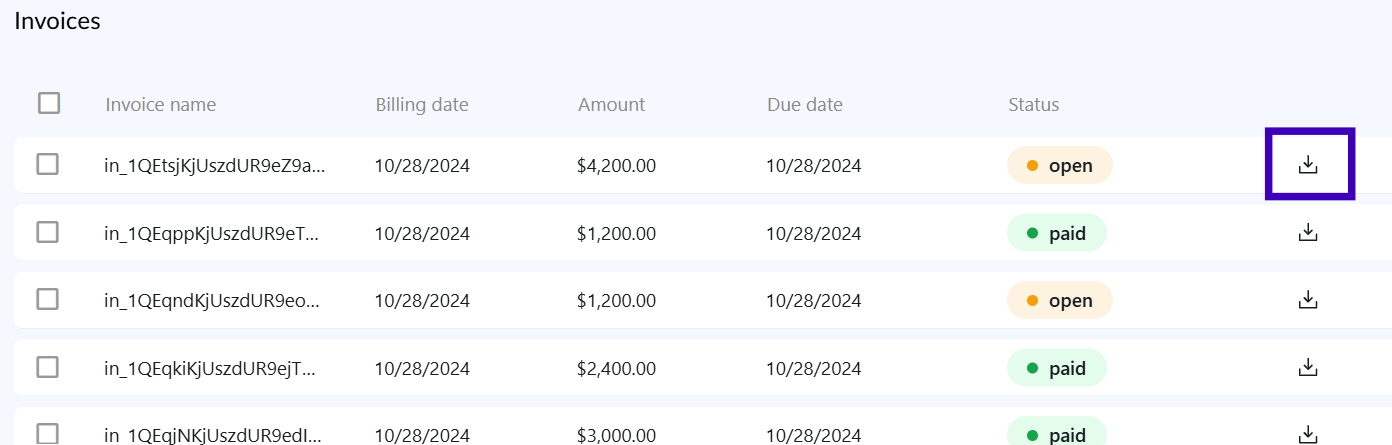
To download a specific invoice, click the Download icon next to the desired invoice.
You can also select multiple invoices using the checkboxes and download them in bulk.
Add Payment Method:
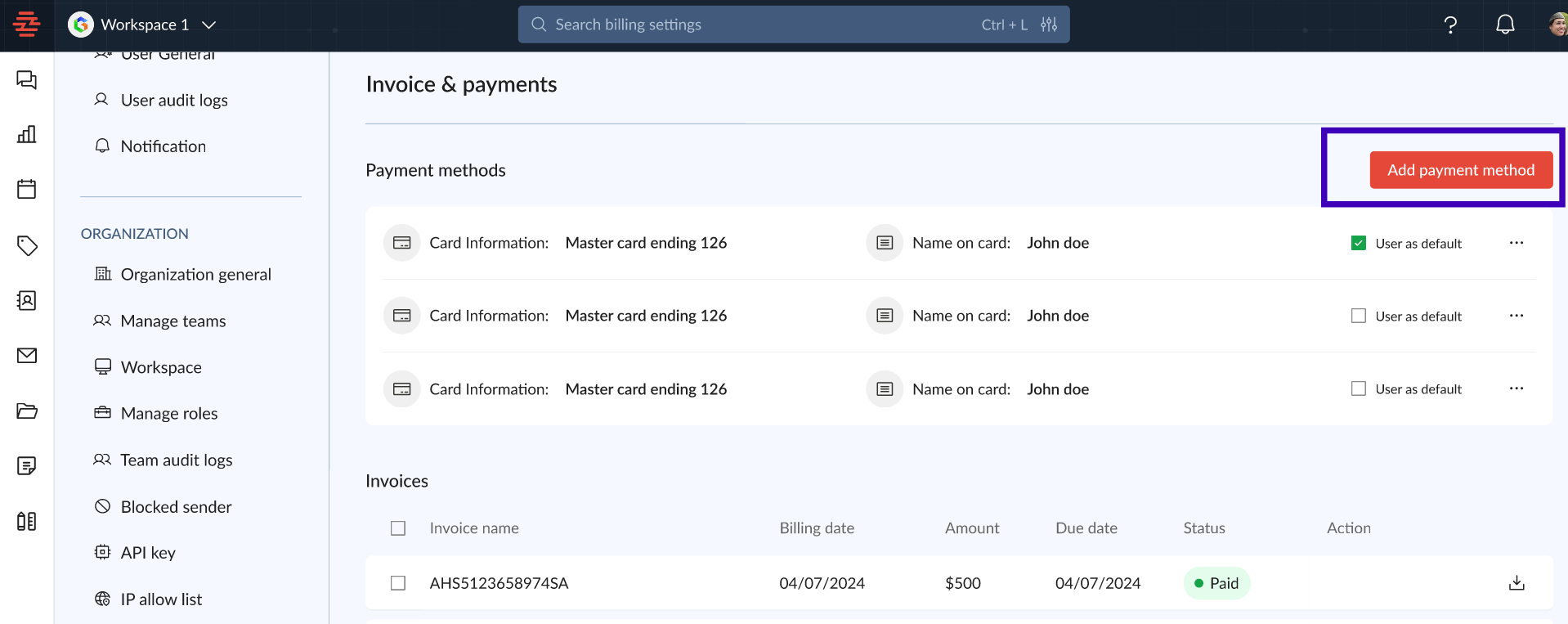
Click the Add payment method button to update or add a new payment option.
Follow the prompts to enter your card or bank details.
This ensures seamless payment processing for future invoices.
Common Issues and Troubleshooting
No Payment Methods Found: If you encounter this message, ensure that your payment details are updated. Click on Add payment method and re-enter your card information.
Unable to Download Invoice: If you cannot download an invoice, check your internet connection and try refreshing the page. Ensure you have the necessary permissions to access billing information.
Conclusion and Next Steps
Understanding your Zeninbox invoice ensures better control over your billing process and helps prevent any payment-related disruptions. Regularly reviewing and managing invoices allows for smoother financial management and planning.
If you have further questions or need assistance, reach out to our support team for help.