What is Workspace in Zeninbox?
A Workspace in Zeninbox is a dedicated environment for managing emails, teams, and settings, designed to streamline collaboration and organization.
Written By lucidgrowth
Last updated Over 1 year ago
Introduction
In Zeninbox, a Workspace is a dedicated environment that allows you to organize and manage your emails, contacts, and team activities efficiently. Workspaces are designed to help teams collaborate seamlessly, offering centralized access to shared mailboxes, automation tools, and other resources.
Purpose and Benefits:
Centralized Organization: Keep all your emails, contacts, and tasks in one place, making it easy to manage communication and projects.
Enhanced Collaboration: Workspaces allow teams to share access to inboxes, enabling members to collaborate on email responses and manage customer interactions collectively.
Customization and Control: Create multiple workspaces for different departments or projects, each with its own settings, rules, and access controls.
Step-by-Step Explanation: Understanding Workspaces
This section explains how to set up and manage a workspace in Zeninbox.
1. Creating a New Workspace
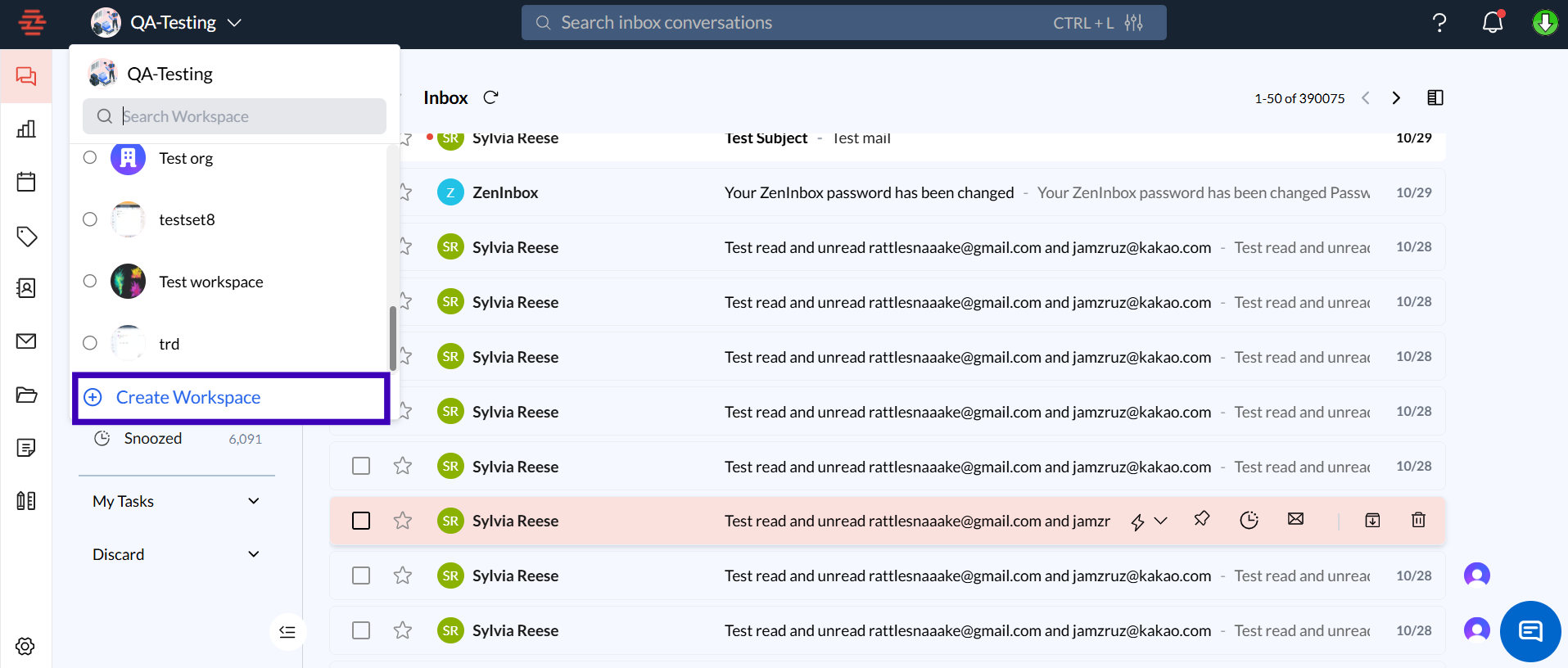
Log in to your Zeninbox account and navigate to the top left.
Click on dropdown in the left-hand menu and then click the Create Workspace button.
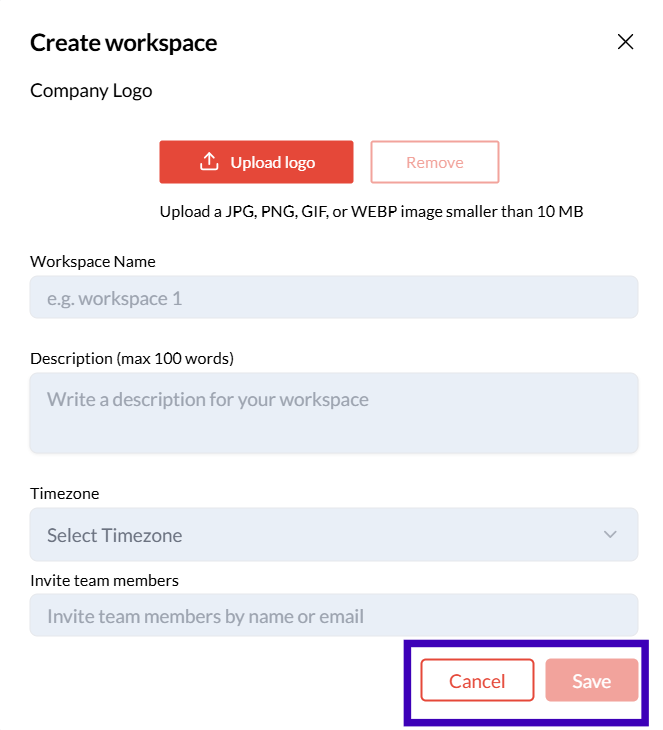
Name your workspace and provide a brief description of its purpose (e.g., Sales Team, Customer Support).
2. Adding Members to a Workspace
After naming the workspace. Select Add Members and choose the teammates you want to include in the workspace.
Conclusion and Next Steps
A Workspace in Zeninbox is a powerful way to keep your team’s communication organized and efficient. By creating and managing workspaces, you can ensure that each department or project has the tools it needs to collaborate effectively.
If you have any further questions or need assistance, please contact our support team at support@zeninbox.ai.