Issues with AI Summarize Not Generating Summary
Written By lucidgrowth
Last updated Over 1 year ago
If you are experiencing issues with the AI Summarize feature not generating summaries as expected, this guide will help you troubleshoot and resolve the problem. Follow the steps outlined to ensure the AI Summarize tool in Zeninbox functions smoothly.
Prerequisites
Before diving into troubleshooting, make sure you have the following:
Zeninbox Account: Ensure you are logged into your Zeninbox account.
LLM Key: Verify that an API key for the AI model (e.g., Google Gemini, Open AI) is active and correctly integrated.
Stable Internet Connection: A stable connection is necessary for real-time AI-generated summaries.
Step-by-Step Solution
Follow these steps to resolve the issue with AI Summarize:
Step 1: Verify LLM API Key Integration
Navigate to the Settings in Zeninbox.
Scroll down and select LLM under the Organization section.
Check if an active API key is listed under your preferred LLM (e.g., Google Gemini, Open AI).
Look for entries labeled Default next to the API key name to confirm it is set as the default for AI Summarize.
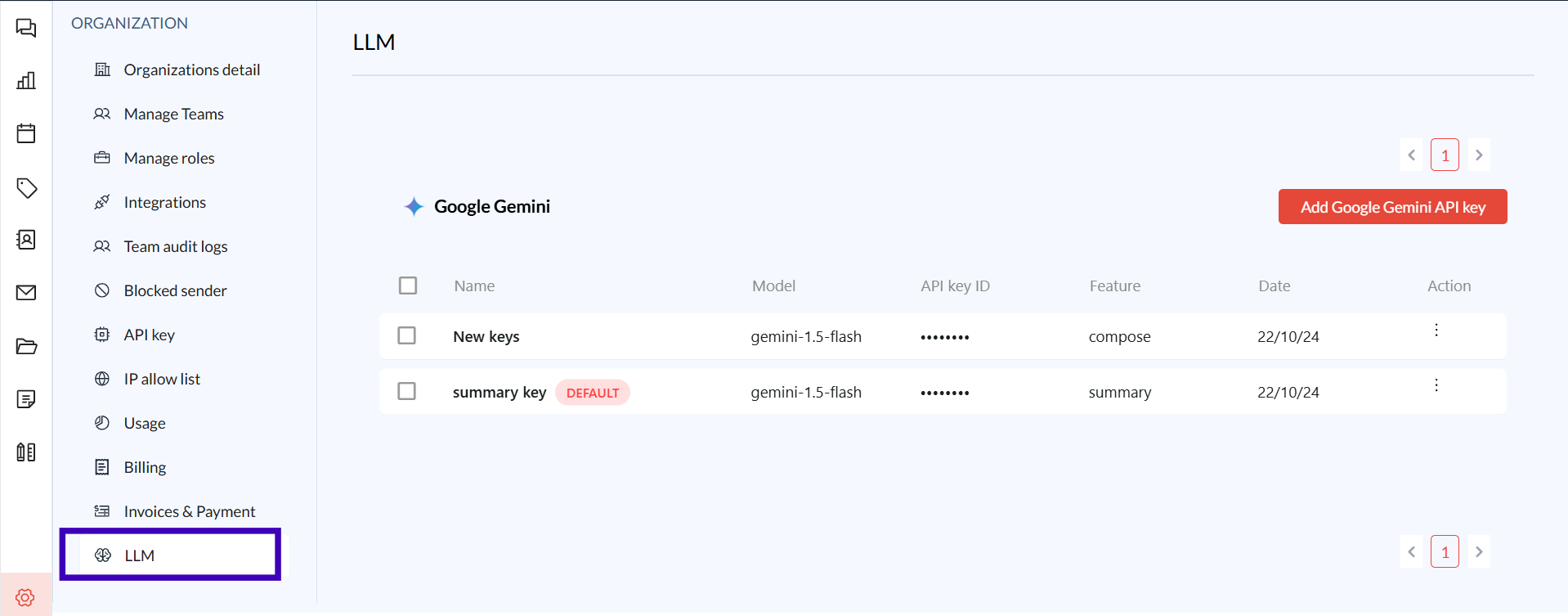
If no key is present or the key is not set with AI Summary Feature, click Add [LLM] API Key and follow the prompts to enter a valid key.
Click Save to ensure the changes are applied.
Step 2: Ensure AI Summarize is Enabled
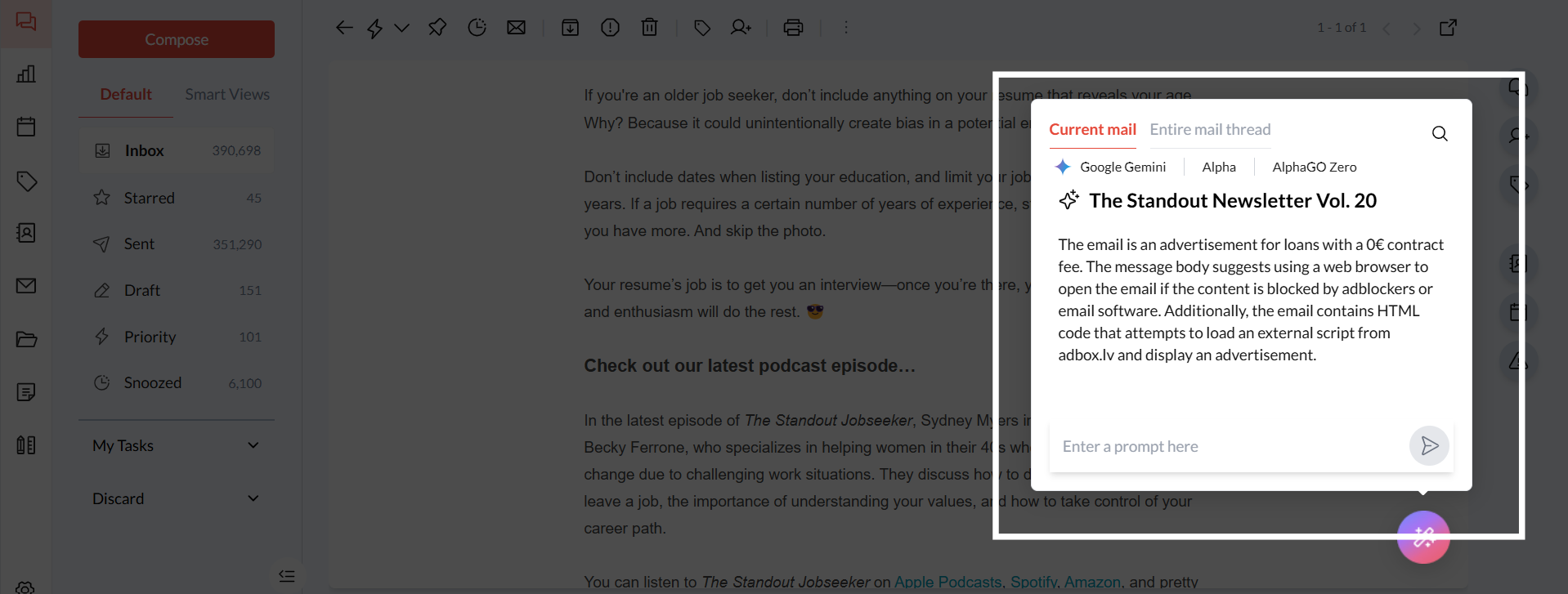
From an email thread, select Summarize under the Draft with AI options.
If the AI Summarize interface appears but does not generate a summary, confirm that the correct LLM is selected.
If no summary appears, toggle between available LLM models and try again.
Step 3: Refresh the Zeninbox Application
Log out of your Zeninbox account and then log back in.
Clear your browser’s cache and refresh the page:
For Chrome: Go to Settings > Privacy and Security > Clear Browsing Data.
For Firefox: Go to Options > Privacy & Security > Clear Data.
Reopen the AI Summarize window and try generating the summary again.
Step 4: Adjust the Summary Input
Ensure that the email or thread you want to summarize contains sufficient content.
Short or very simple emails may not require a detailed summary, and the AI may not generate one.
For long threads, ensure that the entire conversation is selected for summarization.
Common Issues and Troubleshooting
If AI Summarize still isn't generating a summary, consider these possibilities:
Inactive API Key: If the LLM API key expires or is revoked, re-entering a valid key is necessary.
Browser Compatibility: Make sure you’re using a supported browser like Chrome, Firefox, or Edge.
Conclusion and Next Steps
By following these steps, you should be able to resolve any issues with AI Summarize, not generating summaries.
For further help, reach out to our support team through the Help Center