Autocomplete
Simplify your email drafting process with Zeninbox's Autocomplete feature, which suggests text as you type for faster and more accurate communication.
Written By lucidgrowth
Last updated Over 1 year ago
Introduction
The Autocomplete feature in Zeninbox is designed to make composing emails faster and easier. By suggesting contacts and commonly used phrases as you type, Autocomplete helps you quickly fill in email addresses, subject lines, and message content. This ensures that you can draft emails more efficiently and reduces the likelihood of typing errors.
Purpose and Benefits
Why Use Autocomplete in Zeninbox?
Save Time: Autocomplete speeds up the process of composing emails by suggesting frequently used contacts and phrases.
Reduce Errors: Avoid mistakes in email addresses or common phrases, ensuring accurate and professional communication.
Enhanced Efficiency: The feature learns from your past behavior, providing more accurate suggestions over time.
Step-by-Step Instructions for Using Autocomplete
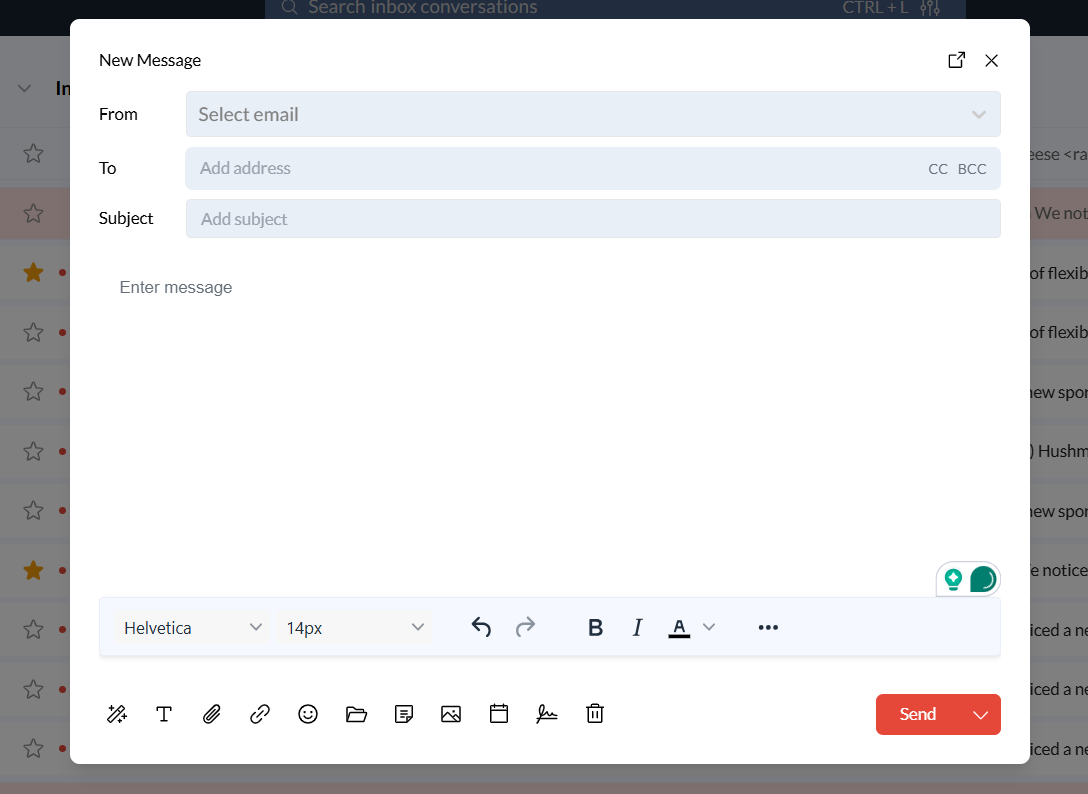
Step 1: Start Composing an Email
Log in to your Zeninbox account and click on the Compose button to start a new email.
Include a screenshot of the Compose button here.
Begin typing in the To, CC, or BCC fields. As you type, Zeninbox will suggest contacts based on your recent and frequent email recipients.
Step 2: Use Autocomplete for Contact Suggestions
Select a suggested contact by clicking on it or using the arrow keys to navigate through the suggestions, then press Enter to choose.
Include a screenshot of selecting a contact from the suggestions here.
If the desired contact doesn’t appear, continue typing to refine the suggestions or manually enter the address.
Step 3: Use Autocomplete for Common Phrases
In the email body, start typing a common phrase or sentence you frequently use.
Zeninbox will display suggestions based on your previous emails and commonly used phrases.
Press "Tab" or click on the suggestion to insert it into your email.
Conclusion and Next Steps
The Autocomplete feature in Zeninbox is a valuable tool for anyone looking to speed up their email composition process and reduce errors. By suggesting contacts and phrases, it ensures you can focus more on your message and less on typing.
Try out the Autocomplete feature today and see how it can streamline your email management. For further information, check out related articles in the Help Center.
If you need additional assistance, feel free to reach out to our support team via Email Support.