AI Summarize
Written By lucidgrowth
Last updated Over 1 year ago
Introduction
The AI Summarize feature in Zeninbox is designed to help you quickly understand lengthy email threads by generating concise summaries of key points. It extracts the most important information from long conversations, allowing you to stay informed without having to read through every message. This is particularly useful for users who manage large volumes of emails or need to catch up on discussions quickly.
Purpose and Benefits
Why Use AI Summarize in Zeninbox?
Save Time: Skip reading through long threads and focus on the essential details, making it easier to prioritize your responses.
Boost Productivity: With a clear summary of the conversation, you can quickly identify action items and respond more effectively.
Stay Informed: Ensure you never miss important points in a discussion, especially when multiple people are involved in a thread.
Step-by-Step Instructions for Using AI Summarize
Step 1: Open the Email Thread
Log in to your Zeninbox account and navigate to your inbox.
Select the email thread that you want to summarize. This can be a lengthy conversation or any thread where you need a quick summary.
Step 2: Use the AI Summarize Feature
Click on the "AI Summarize" button at the bottom of the email thread view.
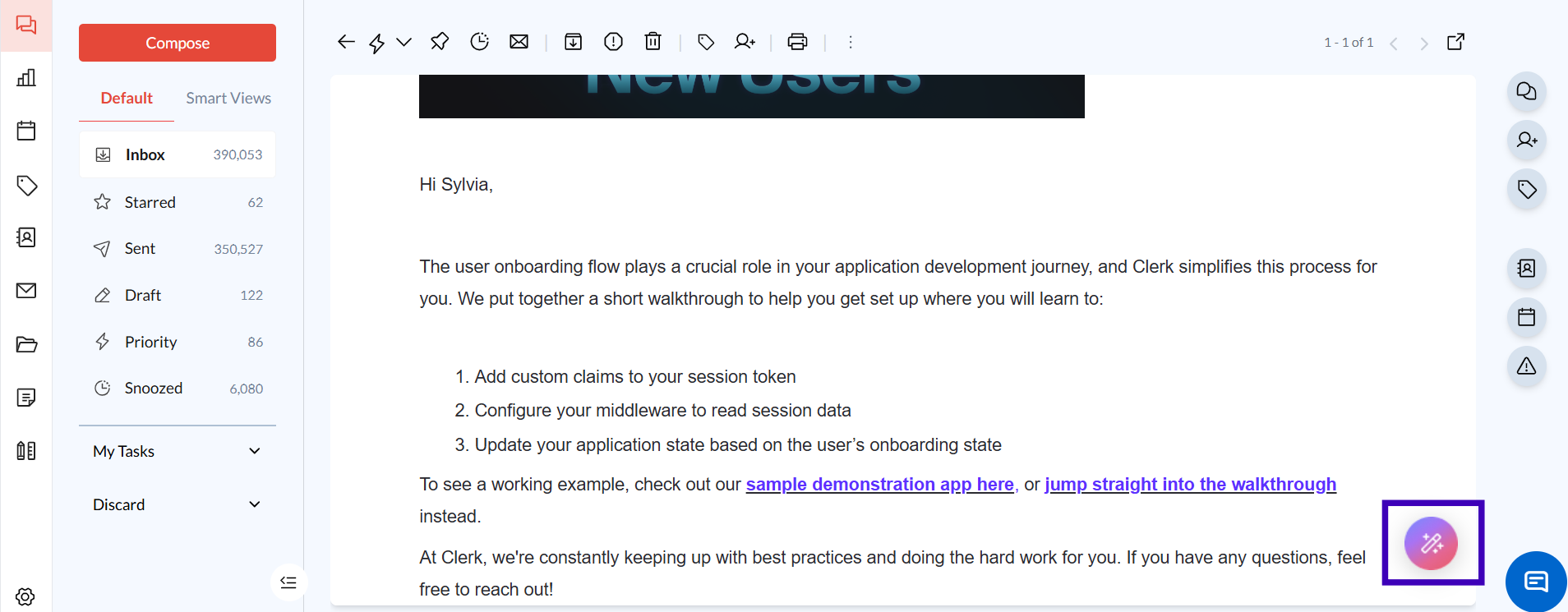
Wait a few seconds for the AI to generate the summary. The summary will appear at the top of the email thread, providing a concise overview of the key points and decisions made in the conversation.
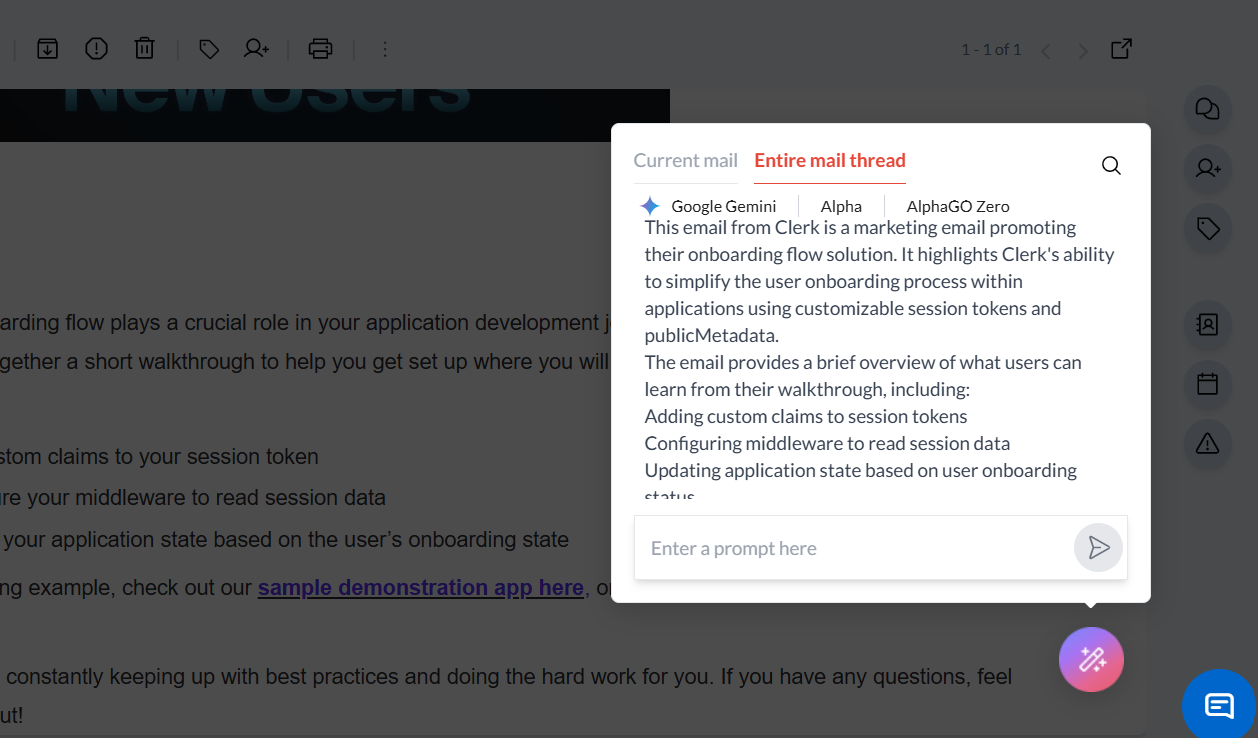
Step 3: Review the Summary
Read through the AI-generated summary to understand the main points of the conversation.
If needed, scroll through the thread to see additional details or context.
Use the summary to guide your response or action, saving time by focusing only on the relevant information.
Common Issues and Troubleshooting
Issue: "The summary is missing some details I expected."
Solution: AI-generated summaries focus on the most critical points. If specific details are missing, scroll through the email thread for a more in-depth view.
Issue: "The summary is too short and not informative enough."
Solution: Adjust your prompt or summarize again after including more emails in the thread for a broader context.
Conclusion and Next Steps
The AI Summarize feature in Zeninbox helps you keep track of important conversations without the need to read every email in detail. By generating concise summaries, you can stay focused on your work and respond more efficiently.
Try out AI Summarize today to see how it can streamline your email management.