How to Edit an Email Template in Zeninbox
Written By lucidgrowth
Last updated Over 1 year ago
Introduction
Editing an email template in Zeninbox allows you to keep your messaging fresh, accurate, and aligned with current needs. Whether you need to adjust the content, update the subject line, or add new information, Zeninbox makes it easy to refine your existing templates. Follow this guide to understand the steps for editing email templates effectively.
Step-by-Step Guide to Editing an Email Template
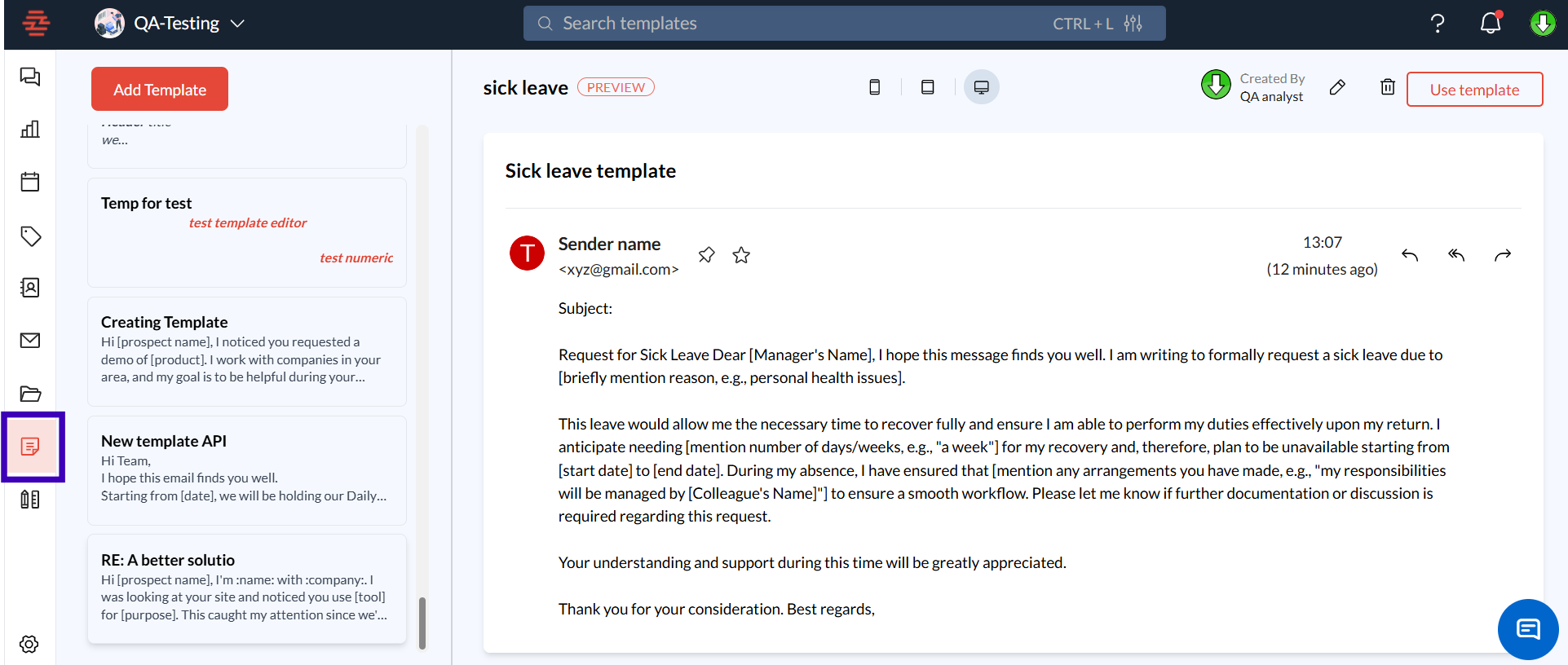
Step 1: Navigate to the Templates Section
Log in to your Zeninbox account.
From the left-hand sidebar, select the Templates icon to access the template library.
Step 2: Select the Template to Edit
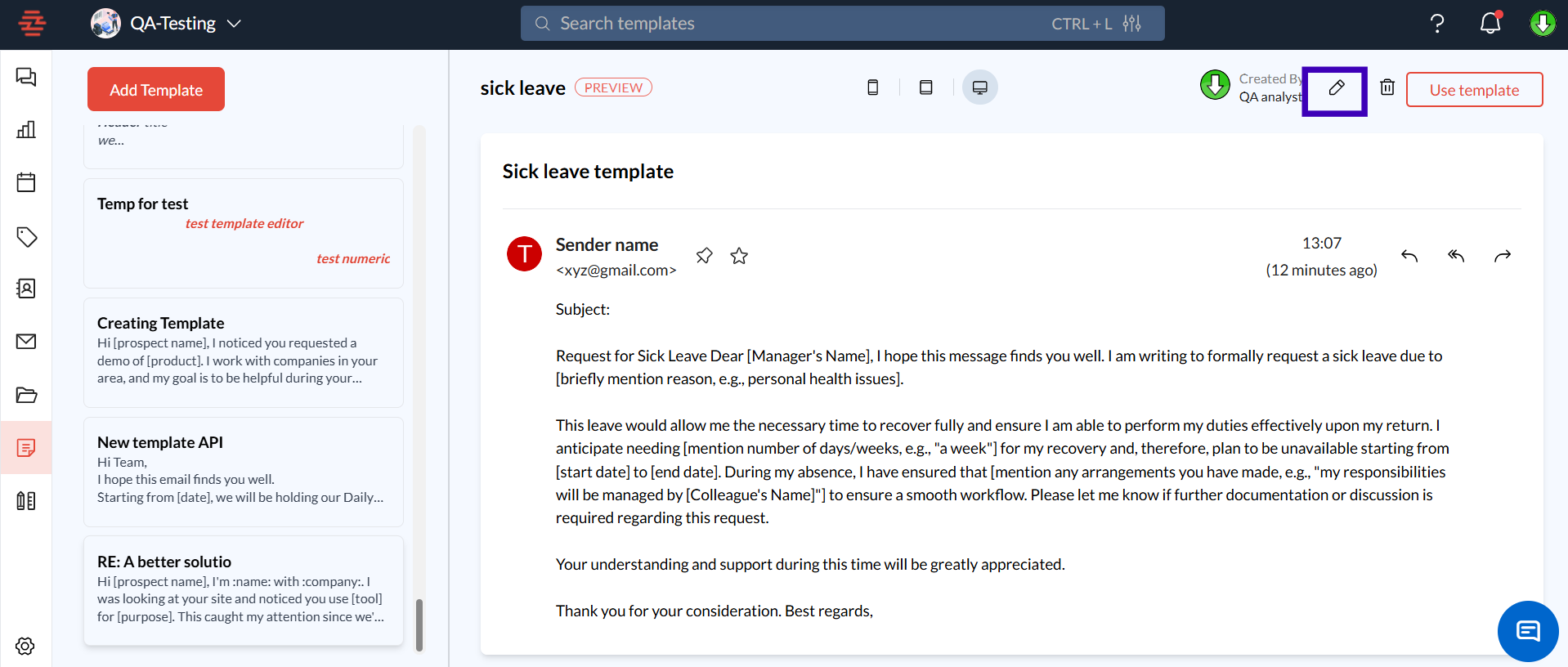
Browse through the list of templates displayed on the left side of the screen.
Click on the name of the template you want to edit or click the Edit icon (pencil icon) next to the template.
Step 3: Make Changes to the Template
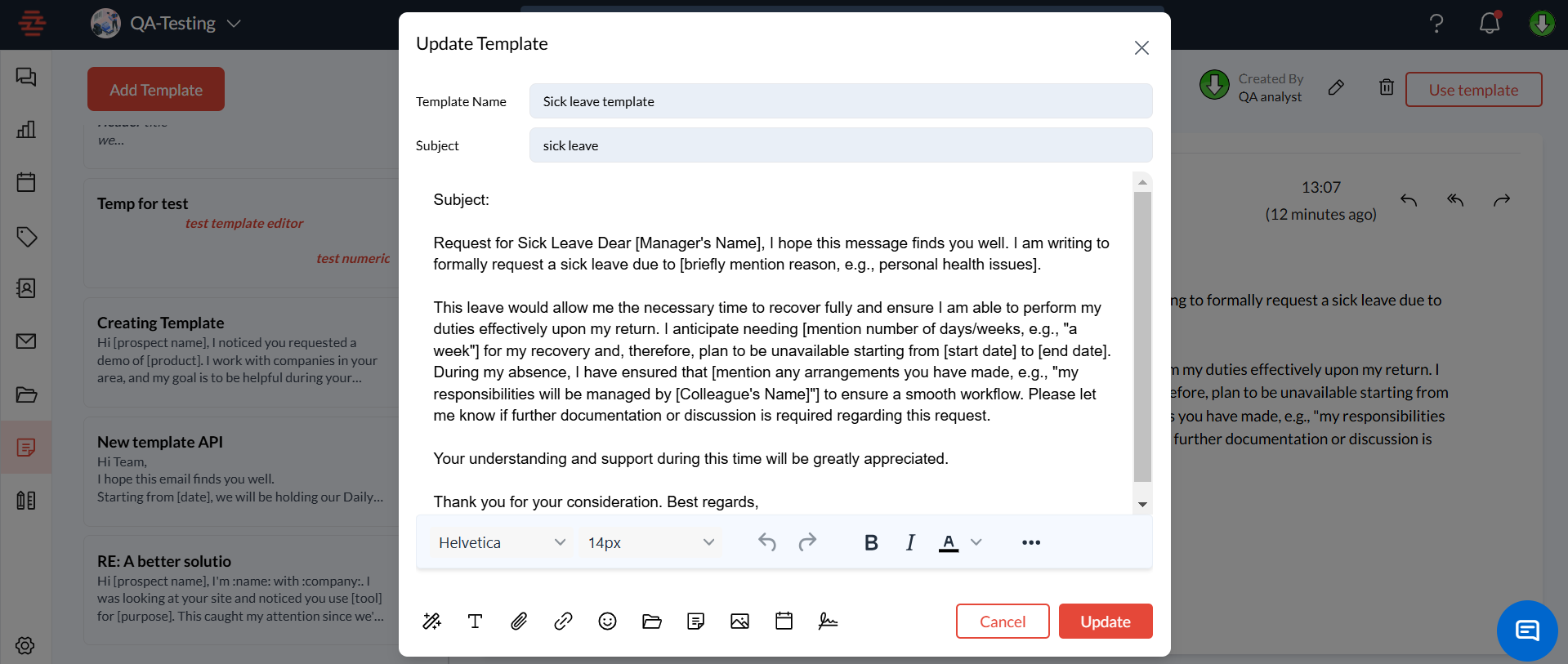
The selected template will open in an editing window.
You can update the Template Name, Subject, and the Message Body as needed.
Use the rich-text editor to adjust formatting, add or modify links, or include attachments.
Step 4: Save the Edited Template
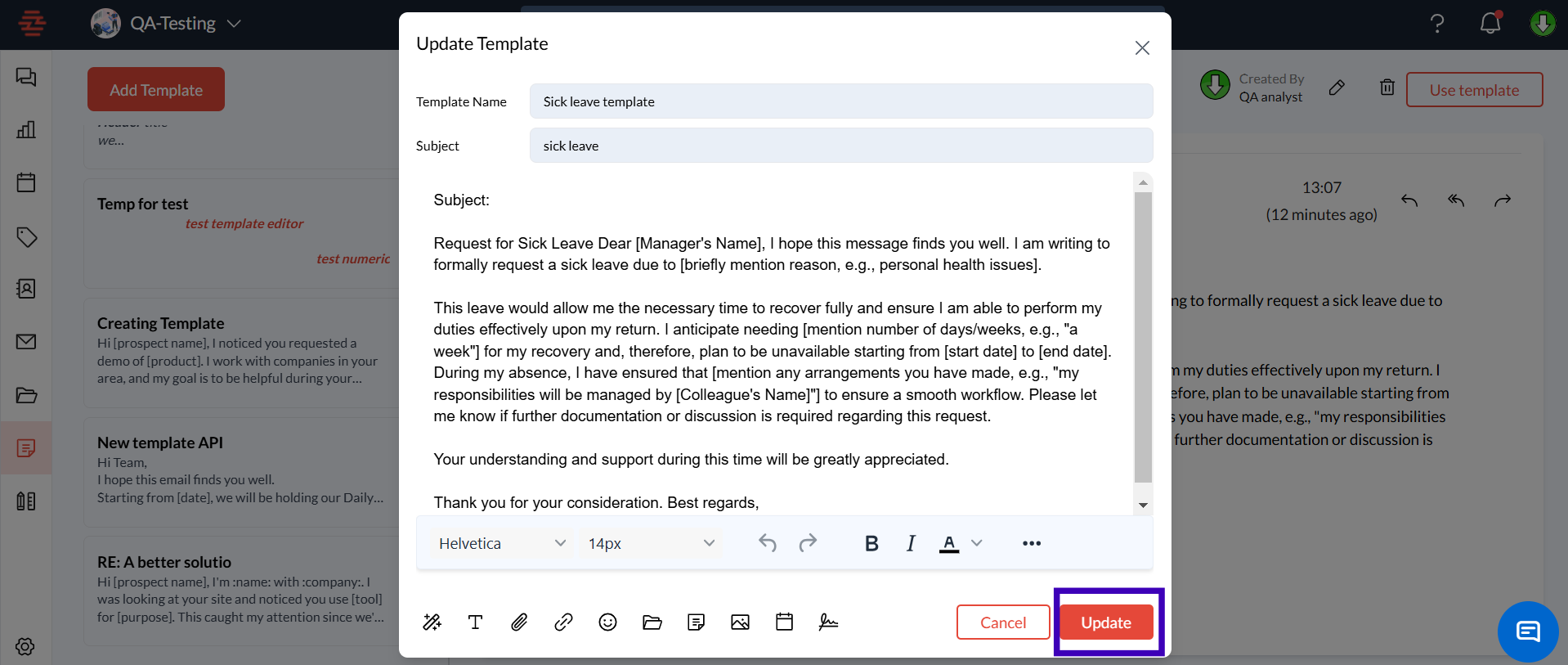
After making the necessary changes, click the Update button to update the template.
The updated template will be saved in your library and available for use in future email compositions.
Common Issues and FAQs
Why can’t I find the edit option for my template?
Make sure you have the appropriate permissions to edit templates within your Zeninbox workspace. If issues persist, contact your workspace admin.How can I test the updated template?
After saving the changes, use the template to draft an email and send it to yourself as a test message to see how it looks in your inbox.Can I revert changes after editing a template?
No, changes cannot be undone once saved. It is recommended to review all edits in the preview before saving.
Conclusion
Editing email templates in Zeninbox is a straightforward process that keeps your communication relevant and effective. By following the steps outlined above, you can ensure that your templates stay up-to-date and meet your current needs. For more help with templates or other Zeninbox features, refer to our “help center” or contact Zeninbox support.